Fake Windows Crash Screen Tricks People Into Installing Malware
By: Jim Stickley and Tina Davis
March 3, 2026
Every Windows computer user has seen, has heard horror stories about, or knows firsthand the dreaded Blue Screen of Death (BSOD). It’s that scary blue screen your Windows PC shows when something really goes wrong and your computer just stops working. Normally, when a real BSOD appears, all you can do is restart, cross your fingers, and hope everything is okay. According to Microsoft, it’s a sign of a system crash, not something you’re supposed to “fix.”
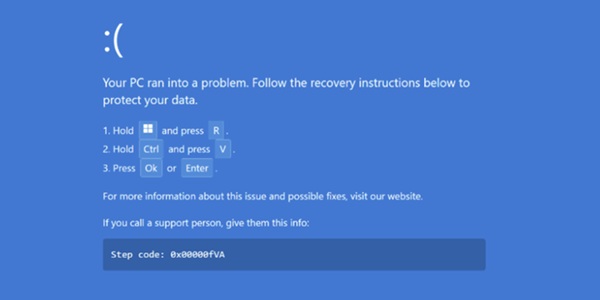
But cybercrooks have found a sneaky way to abuse that familiar fear. In a recently uncovered campaign called “PHALT#BLYX,” attackers send phishing emails that look like alerts from hotel booking sites or third-party travel booking websites (think Kayak or Expedia). Those messages urge recipients to click a link to check a reservation or a cancellation. Once clicked, a fake CAPTCHA appears and then the victim’s browser gets taken to a fake booking page that quickly shows what looks like a real BSOD crash.
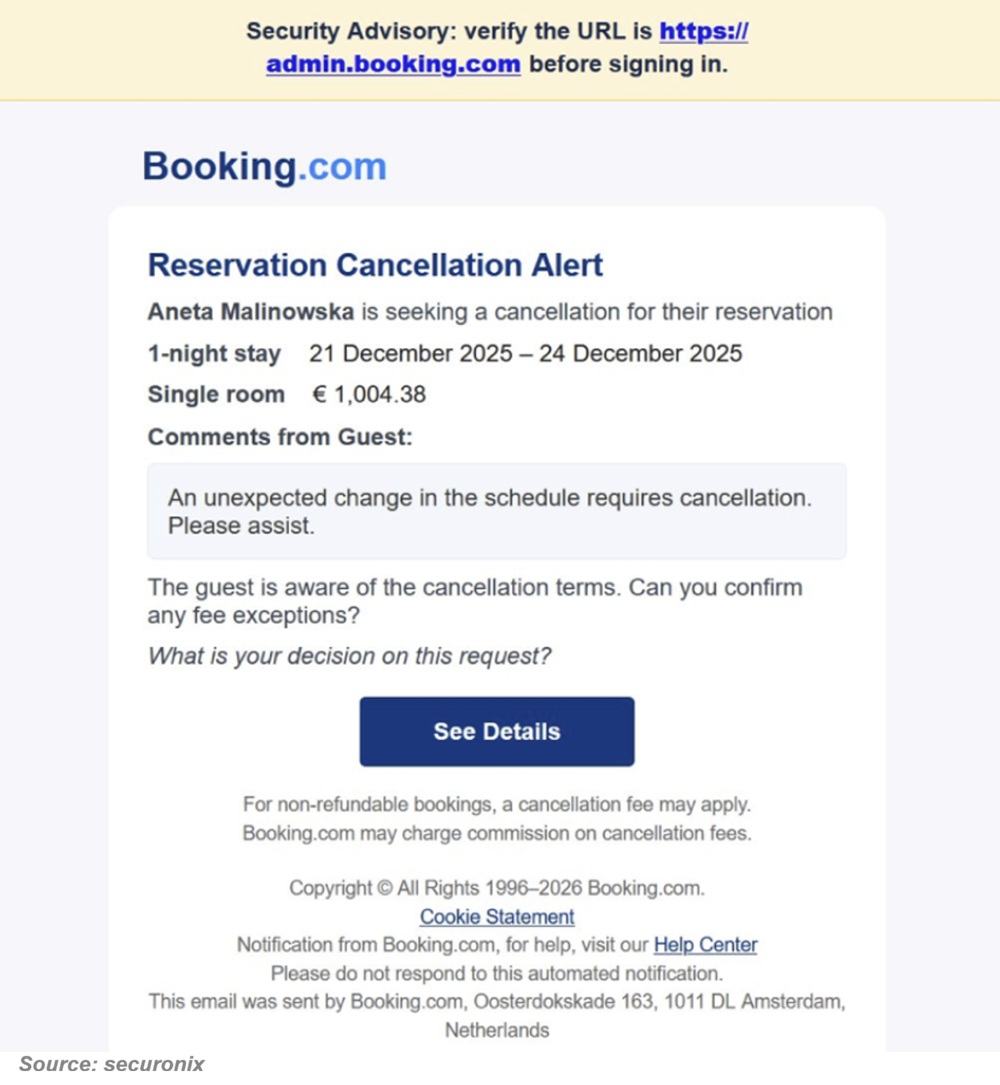
The fake BSOD doesn’t come from your computer, however. It’s just a webpage designed to look like a “click fix” tactic. These trick users into copying and pasting something or typing a command into a window and it’ll fix it. It will then give “instructions” on how to fix the problem by copying and pasting a malicious script into the Windows run dialogue box. That action leads the user to paste and run the DCRat malware on their own machine. Once that malicious software is running, attackers can spy on the victim, steal passwords or sensitive data, and even disable security features.
Everyone may be at risk
Ok, nearly everyone who uses a Windows PC might panic at a scary crash message. However, workers in hospitality or other industries targeted by the phishing emails, are especially at risk here. But you can watch for them.
Keep the peepers open.
- Never trust sudden crash screens that ask you to “fix” things yourself. This is especially true if you really don’t know what you’re doing.
- Ignore emails with urgent links from companies you didn’t contact. Urgency is one of the key indicators of a cyberattack.
- Close suspicious websites instead of following their instructions. Just click that x or whatever it is in your browser and shut it down. Try again later.
- Keep your security software up to date.
Stay calm and think twice before acting. Real crashes don’t offer recovery steps on a webpage.

 SUBSCRIBE TO WEEKLY NEWSLETTER