Sneaky Fake Error Pop-Ups Are Spreading Malware Everywhere
By: Jim Stickley and Tina Davis
February 2, 2026
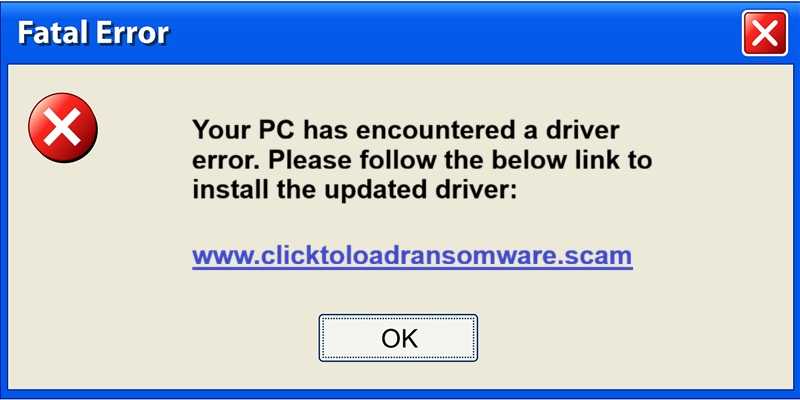
It’s the kind of online trick that makes your heart skip a beat. A window pops up on your screen telling you there’s something wrong with your computer or that the website you’re trying to view is corrupted. But what looks like a legitimate warning might actually be a malware trap, and cybercrooks are using it to infect your devices without you realizing it.
Security experts have discovered a new scam tool being used on compromised websites that shows convincing fake error messages to anyone who lands there. These pop-ups claim that your browser or system is broken, but they offer to help! Conveniently, there’s a big button that promises to “fix” the problem instantly. But the reality of it is that clicking that button doesn’t help; it leads you down the path to installing harmful software instead.
These fake warnings often look convincing, using “broken" text or urgent language to create a panic and urge you into taking quick action. That’s exactly what the attackers are counting on. You see a scary message and act quickly without thinking. The result? Malware may end up on your device, whether it’s a Windows PC, an Android phone, a Mac or any other device. Tricks like this one don’t discriminate.
In this case, it can be alarming, but fortunately, it's just good old-fashioned scareware.
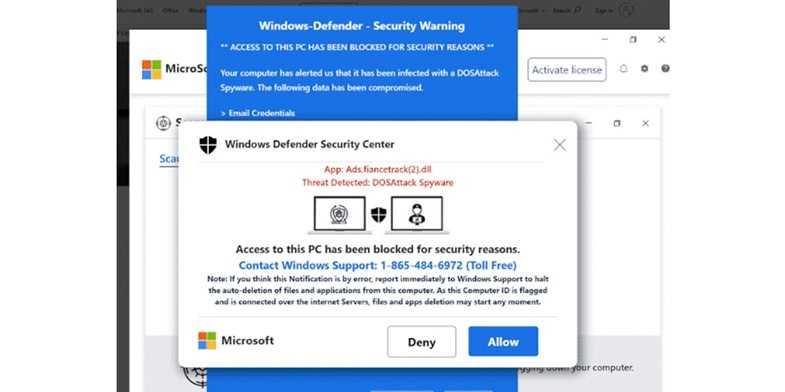
The reality is that everyone who uses the internet is a potential target. These deceptive pop-ups can show up on many different websites, even ones you didn’t expect to be dangerous. And they work on all kinds of devices. But let’s not get picky. Most likely, whatever you’re using can be affected.
 You can protect yourself by following a few tips:
- Don’t click “fix it” buttons on random pop-ups. Legitimate warnings don’t come from random websites.
- Close the tab or window right away if something looks weird or “broken.”
- Keep your device updated using built-in system settings, not browser messages.
- Install and use good antivirus software and avoid downloading anything you didn’t go out of your way to get. Keep all software updated with he latest security patches and versions.
In the end, slowing down and trusting your instincts can save you from a lot of trouble. When in doubt, walk away and don’t hand over control of your device to a pop-up.

 SUBSCRIBE TO WEEKLY NEWSLETTER