I can’t remember how many people have told me lately that since the end of the pandemic, they have been working from home full-time. However, that also means that the organization they work for assumes additional risk from cyberattacks. You see, once an employee is outside the confines of their organization’s network, it’s up to them to follow cybersecurity guidelines and policies set up by the company. Sadly, many people don’t realize the additional risk they add when working from home, the local library, or the pub around the corner.
So here we are to let you in on the top five mistakes people make at home or working from someplace not in the office, whether they’re working or not, and how to avoid making them.
Mistake 1: Leaving Devices Unattended
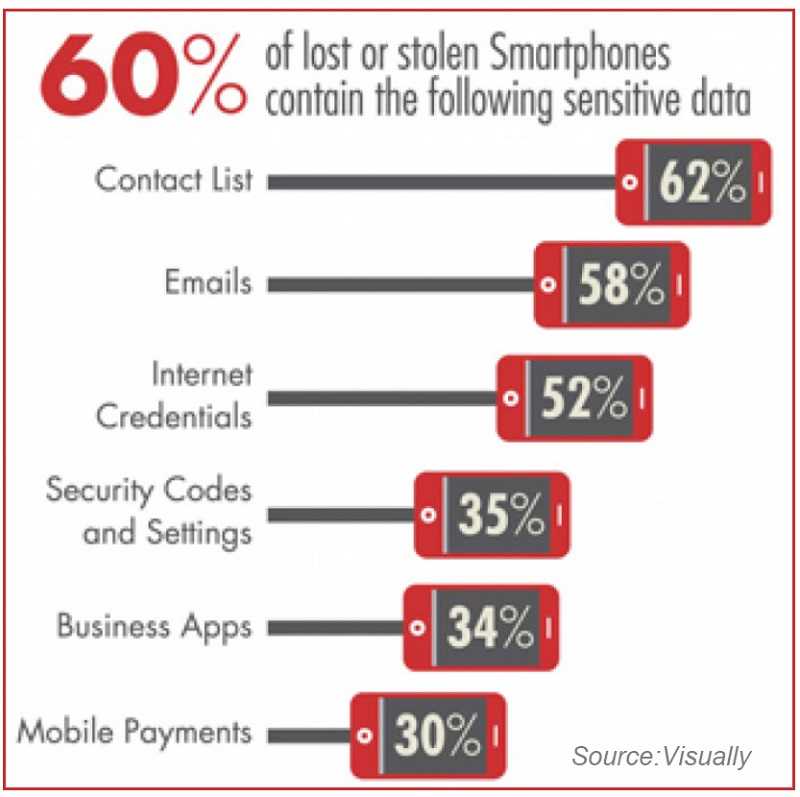
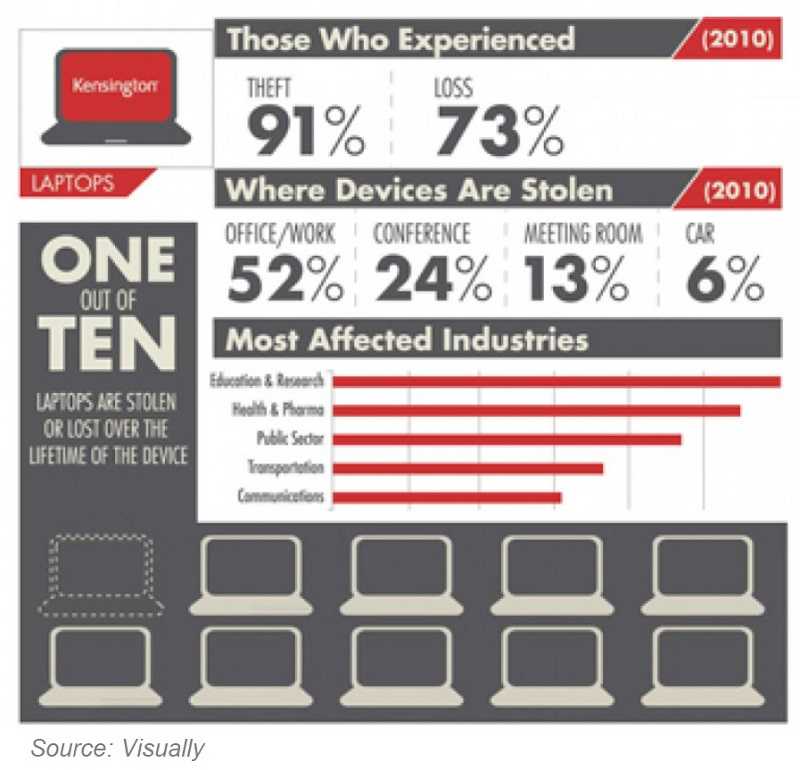
If you’re in your home and step away from your workspace for a few minutes, it may not be a big deal if you leave your devices unattended. However, if you work from that café down the street and step away, it’s not so safe. In fact, leaving those devices at home still holds some risk that they can be stolen and/or sensitive information can be viewed. According to the FBI, over 2 million laptops are stolen each year. Per Norton, 70 million smartphones are lost per year; few are recovered. Many are forgotten at airports and many are left in vehicles.
Lock them every time you step away, take them with you, or put them away out of sight. You may think you can trust the barista to watch your belongings when you step away. However, remember that they are working and their priority is assisting customers. And no matter where you live, it’s possible someone can enter your home and take your computers and tablets at any time. So, just don’t leave them unattended and never leave them unlocked when you walk away or even turn around to have a conversation. If someone is in your home fixing an appliance or doing plumbing work, for instance, they may be able to view information on your devices. So, don’t give them the opportunity.
Mistake 2: Storing Confidential Data On Personal Devices
Sometimes it’s hard to separate work from not work. So, we may occasionally save files to our personal devices, like our smartphones. Unfortunately, that leaves any information in those files vulnerable to theft. See stats above about how many devices are stolen or lost. It can happen at any time.
Companies generally have drives configured to store work files. This includes any documents with confidential or sensitive information. These files are secured, encrypted, and backed up to avoid problems. It’s all part of protecting customer data. If your company does this, abide by it and only save work files to the drives they have set up for it. Don’t store it on your personal devices.
Mistake 3: Not Shredding
There is still a lot of paper floating around out there. Much of it contains information that we wouldn’t want getting into the wrong hands. However, a lot of people don’t take shredding those papers seriously; but that is a mistake.
Dumpster diving still happens, as do all kinds of theft of information from paper. So, take a minute to shred documents as soon as you are done with them. We’ve mentioned it before with regard to the office, but it’s important to do it at home too, especially if you have printed documents at home that contain sensitive information. If you don’t have a shredder at home, ask your company to provide one for you. In addition, there are handy identity theft protection roller stamps that hide text on documents. I use one to make out my address on all that junk mail before I toss it into the recycle bin. Honestly, though, it’s easier to just shred them. If you want to be extra sure, use both methods.
Mistake 4: Letting Others Use Work On Computers And Devices
I cannot think of many people I know who haven’t allowed someone else to use their work laptop to look something up online quickly at some time. But there is a risk of doing that. Not everyone is as savvy as you are about cybersecurity and if they see a popup, they may just click it and download malware to your device.
Just don’t let others use your work devices. It’s really that simple. They are intended for work and anything that happens on them becomes your responsibility. It’s better not to have to explain to your manager that you let your child play a game for a few minutes and he or she accidentally executed malware on it.
Mistake 5: Sharing Home Network With Others
There are about a million things connected to the internet from our homes these days. Ok, maybe that is a bit of an exaggeration, but there are many. They range from computers and tablets to video game consoles to the doorbell. Now, just about anything can be internet ready. However, this leaves your home network open to all kinds of cyber-related problems. Video game consoles are notorious for having unpatched vulnerabilities that can be the door to malware infecting your home network. There have been a few cases of internet-connected doorbells and security systems having issues where the family was spied on because of a vulnerability.
Separate your home network. Most WiFi routers have at least two networks built into them these days. Often, one is called “guest.” However, it doesn’t have to be for guests. It’s actually better to use one of them for your Internet of Things (IoT) devices, such as your gaming console and home assistant on one and your computers on another. If you can do three networks, it’s all the better. One for work, one for home, and one for IoT.
As always, just taking a little bit of time to ensure you’re not leaving yourself open to cybercrime wherever you happen to be, can go a long way for peace of mind and keep time and money in your pocket.

 SUBSCRIBE TO WEEKLY NEWSLETTER