Just when you thought it was OK to trust your internal communication tools, hackers are increasingly abusing Microsoft Teams to target not only those using it in the workplace, but also home users, exploiting the trust we place in familiar tools. You’re asking yourself how they’re doing this, aren’t you?
Rather than relying only on email phishing, attackers are operating within the Teams tool itself. They impersonate helpdesk or IT support personnel via chat, calls, or video—and prompt victims to run “technical assistance” tools like Quick Assist. Once access is granted, cybercriminals plant malicious software or steal authentication tokens.
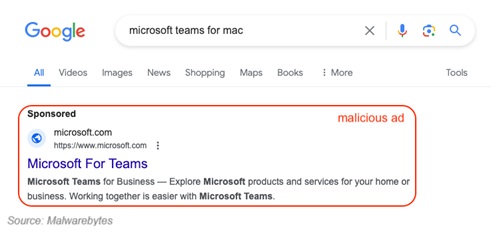
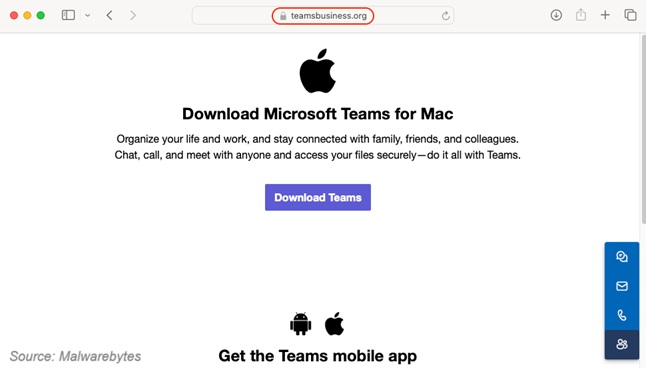
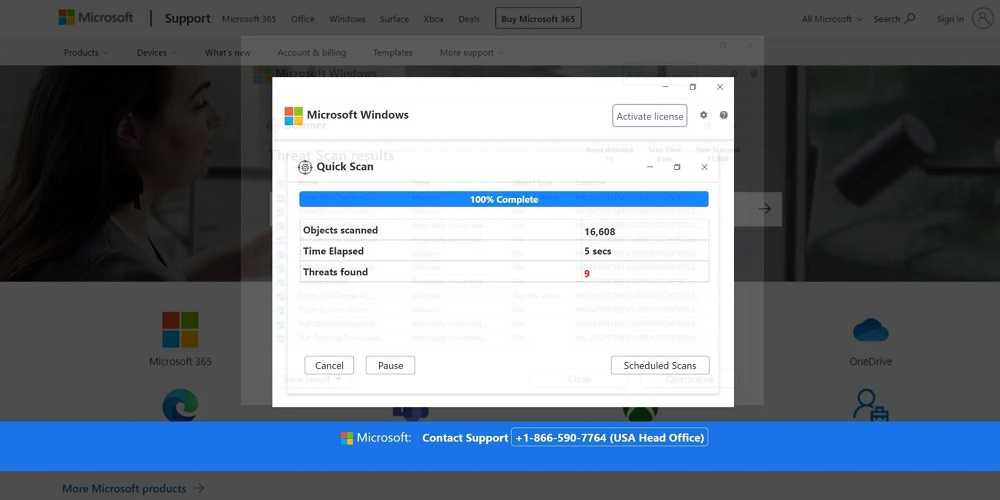
One campaign saw crooks publish fake Microsoft Teams installers via cleverly disguised domains and in some cases, malicious files with the same names as the legitimate Microsoft installation files, pushing a Trojan called “Oyster” that gave them remote control over victims’ PCs. The attackers also exploit the fact that users treat Teams messages as internal, making them more likely to trust links and requests than in email, when in fact, they can be external as well.
So how do you avoid being the next victim?
Never accept unsolicited remote assistance. If someone claims to be IT and asks for access through Teams or Quick Assist, hang up and verify independently.
Disable or restrict Quick Assist if you don’t use it. Microsoft has flagged misuse of Quick
Assist for credential theft and malware installs.
Enable multi-factor authentication (MFA) and monitor login activity.
Keep your Teams client, OS, and security tools up to date.
Beware of domain-spoofing. Only download Teams from Microsoft’s official website.
Stay skeptical. Treat Teams requests like emails from strangers—verify before clicking or sharing anything.
Other ways to get caught out
Other ransomware payloads used include BlackCat, Zeppelin, Quantum Locker, and Rhysida. These can be delivered via spam email messages or even malvertising. Always be skeptical of emails with link, attachments, or files that are not expected, especially if they are installation files. Use extreme caution when clicking ads as well. They often take you to fake websites or may install malware.
Attack targets have included the education, healthcare, IT, and manufacturing sectors.

 SUBSCRIBE TO WEEKLY NEWSLETTER