The holidays have come and gone, and that means shiny new video game consoles, tablets, smart toys, and all sorts of connected devices are likely in kids’ hands. While these gifts bring plenty of joy, they also open the door to cybercriminals who see children as easy targets. That’s why parents often become the last line of defense between online predators, scammers, and a child who’s simply excited to try out their new gear.
If you haven’t done so yet, have an age-appropriate conversation about staying safe online. Keep the tone calm, not scary. Make sure they know they can come to you if something pops up that feels weird, whether it’s a message from another “player” asking for personal details or something they don’t understand.
Parental controls should be your best friend this season. Every gaming system, tablet, and connected toy offers settings to help manage what kids can see, do, or download. Lock down app purchases with a password only you know. Decline requests for location data, and make sure device use happens in shared spaces—not behind closed doors.
For older kids who join online chats, remind them that not everyone is who they claim to be. If someone wants to meet in person or conversations shift toward bullying or inappropriate content, they should tell you right away.
And don’t forget device security. Install updates, patches, and antivirus tools immediately. These devices often sit in warehouses and on shelves for a long time before they are set up. Make sure to update the firmware, software, and change any default passwords. These are simple steps that help keep malware and hackers far out of the fun.
One of the biggest risks of our online world is identity theft, even for children who are too young to speak, let alone type. If you start receiving bank offers, credit card mailers, or anything financial in your child’s name, take it seriously. It’s a strong sign their personal information has already been compromised.
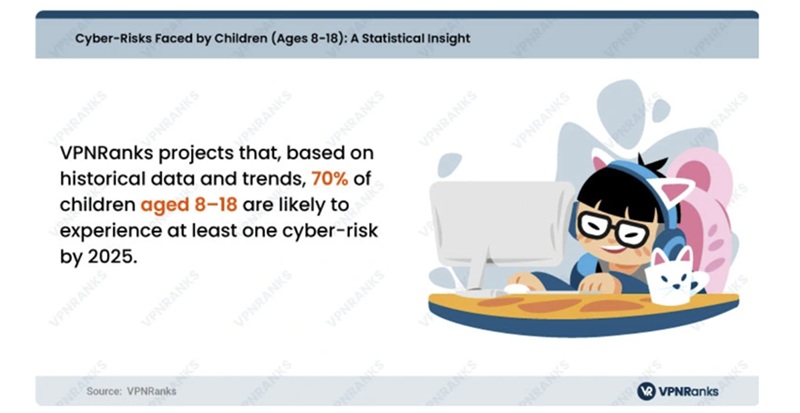
 VPNRanks.com offers the below online child safty tips:
- Stay Involved: Participate in shared activities like playing games, researching topics, or creating a family newsletter. This enables supervision while teaching good online habits.
- Place Computers in Open Areas: Keep devices in high-traffic spaces to monitor activities, deter risky behavior, and intervene if needed.
- Set Rules and Discuss Risks: Establish clear, age-appropriate boundaries for computer use, such as time limits and allowed websites. Educate children on internet dangers, privacy, and cyberbullying risks.
- Monitor Activities: Track your child’s online activity, including websites visited and communication through email, messaging, or chat rooms. Know who they’re interacting with.
- Maintain Open Communication: Encourage children to share concerns or questions about their online experiences, ensuring they feel supported and informed.
- Create Separate User Accounts: Limit your child’s access to sensitive files and settings by setting up a restricted account. This protects your data and enhances their safety.
- Implement Parental Controls: Use browser-based parental controls to restrict website access and secure these settings with a password.
- Strengthen Security: Keep antivirus software updated, avoid saving passwords in browsers, and configure robust security settings to prevent accidental breaches.

 SUBSCRIBE TO WEEKLY NEWSLETTER