Is Your Computer Hacked? The Clues and Tips You Should Know
By: Jim Stickley and Tina Davis
January 20, 2026
Wondering if your computer might be a hacking victim is an uneasy feeling at best. The signs and symptoms are there, and you need to know what they are and what to do about them. It’s a kind of one-two punch to hackers from you and your device.
Hacking Clues
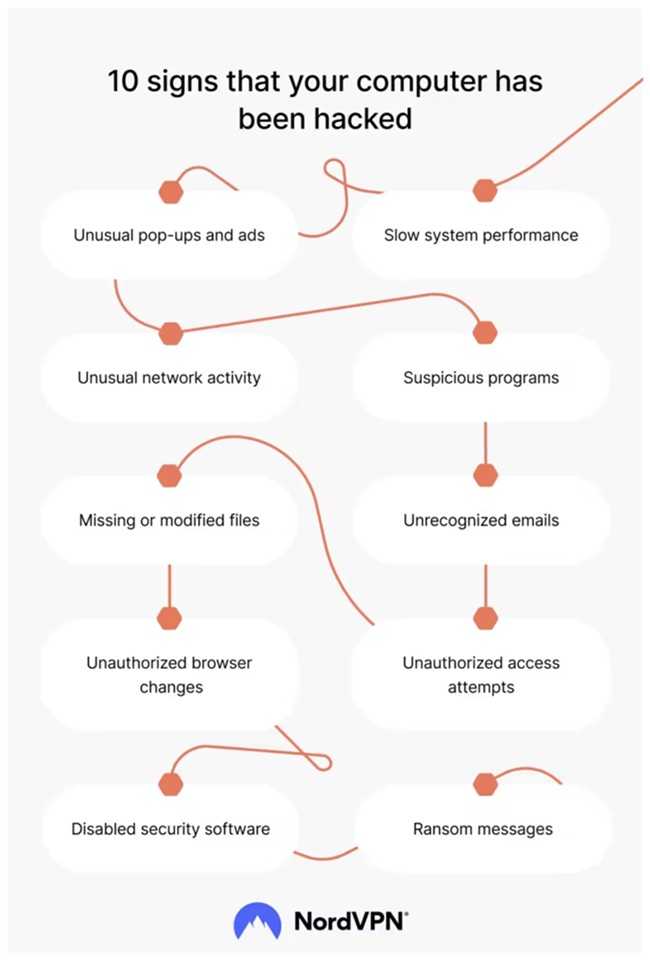
If you find any of the following hacking clues happening with your computer, always double check you and your device first. That’s because some of these clues could unknowingly be due to your own actions and not a hacker’s.
- Apps crash and your computer freezes
- The webcam light is on, and you don’t have a clue why
- Notices saying your antivirus software is disabled
- Strange browser pop-ups and even stranger apps show up on your desktop
- Your browser’s home page changed, including extensions and search engine
- Your device is sluggish, and apps and web pages take a long time to open
- Account passwords changed, and unusual emails are sent to and from your inbox
What to Do
Treating a hacked computer begins with preventing one in the first place. It takes a promise to use cyber-smarts daily, and bolstering your device with security software.
- Run your anti-virus often and always keep it updated.
- Always be on the lookout for phishing in all forms: Vishing, email phishing, and smishing.
- Make sure a webcam light being on isn’t from staying logged into a webinar or online meeting. Close out the browser or log off.
- Always keep updates and security patches applied in a timely manner.
- Malware alone can mean disaster for your devices, so always be careful to download apps from the official app stores for your devices and never sideload from third-party sites.
Remember that some updates to your operating system may make your computer slower for various reasons. However, sometimes it may be due to something malicious. If you cannot figure it out yourself, take it to a technical support specialist and have them check it out. If all else fails, you may need to reinstall the operating system.
Being proactive about security goes a long way protecting your computer. But keep in in mind some hacks won’t leave a footprint, so always trust what your gut and Spidey-sense are telling you.

 SUBSCRIBE TO WEEKLY NEWSLETTER