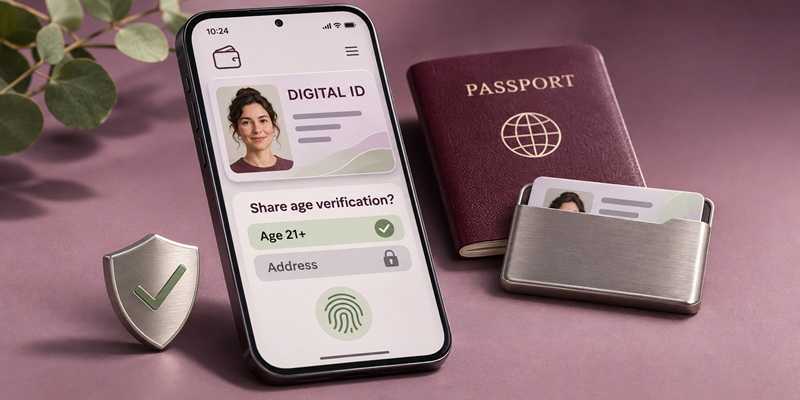
Your phone already handles plenty of everyday tasks. Now, it may also offer a place to carry an eligible driver’s license, employee credential, or other form of digital identification.
That convenience can come with useful security and privacy features. But before adding sensitive information, take a moment to understand what the wallet does, who provides it, and how you control access to your identity.
2
“Digital identity wallet” can describe different services. Some let you add a verified credential through a participating government agency, employer, or other organization. Others store uploaded photographs or scans of documents.
A supported digital credential may include protections that help confirm its authenticity and control how information is shared. A saved photograph is a copy that could expose everything visible on the document if someone gains access to it.
For a verified digital ID, start with instructions from the organization issuing the credential. A reassuring app name or polished appearance doesn’t tell you how well your information is protected.
2
Some digital ID systems encrypt stored information, require authentication, and show you what details are being requested before you approve sharing them.
Depending on the credential and the system accepting it, you may be able to disclose only what’s needed. Proving you meet an age requirement, for example, may not require sharing your full address.
These features vary. Review the provider’s security and privacy information, including where your information is stored, what is shared during setup, and how you can remove a credential.
2
Even a well-protected wallet doesn’t eliminate scams. Criminals may impersonate a wallet provider or government agency and ask you to “verify” your identity through a fraudulent website. Others may promote a fake app designed to collect uploaded documents.
Treat unexpected requests for identity documents cautiously. Open the official app or visit the issuer’s website independently to check whether action is needed.
Protect your device passcode, too. Your phone and the accounts connected to it are part of your digital identity’s security.
2
-
Verify the app and developer. Follow links from the credential issuer’s official website. Use official app stores, and treat ratings and reviews as helpful clues rather than proof of legitimacy.
-
Secure your device and accounts. Use a strong device passcode, enable biometric protection where available, and turn on multi-factor authentication for associated accounts.
-
Limit what you store. Add documents for a clear purpose. Before uploading a copy, check whether it will be stored remotely, included in backups, or shared with other services.
-
Read before approving. Check who is requesting information and which details they want. Pause if a request is unexpected or asks for more than seems necessary.
-
Prepare for a lost phone. Keep software updated and learn how to remotely lock your device. Check the provider’s instructions for removing or suspending supported digital credentials.
2
Acceptance varies by credential, location, and purpose. Check requirements before relying on a digital ID, especially when traveling.
A digital credential created using a passport does not replace the physical passport required for international travel. Keep necessary physical documents secure and available when you need them.
2
A reputable digital identity wallet can make everyday identification more convenient and give you greater control over what you share. Choose the service carefully, understand its limits, and review requests before approving them. Your identity deserves thoughtful protection wherever you carry it.
For banks and credit unions
Share this article with your members
Copy a ready-made summary and link for your newsletter, website or social posts.