Your phone probably knows more about you than your closest friends do. It holds conversations, family photos, account information, and possibly health records. It may also provide access to your email, banking apps, and the verification codes that help protect your accounts.
That makes protecting your phone about much more than avoiding an expensive replacement. A few practical habits can help keep your information out of the wrong hands.
2
Don’t leave your phone unattended on a café table, store counter, or other public surface. Take it with you when you step away.
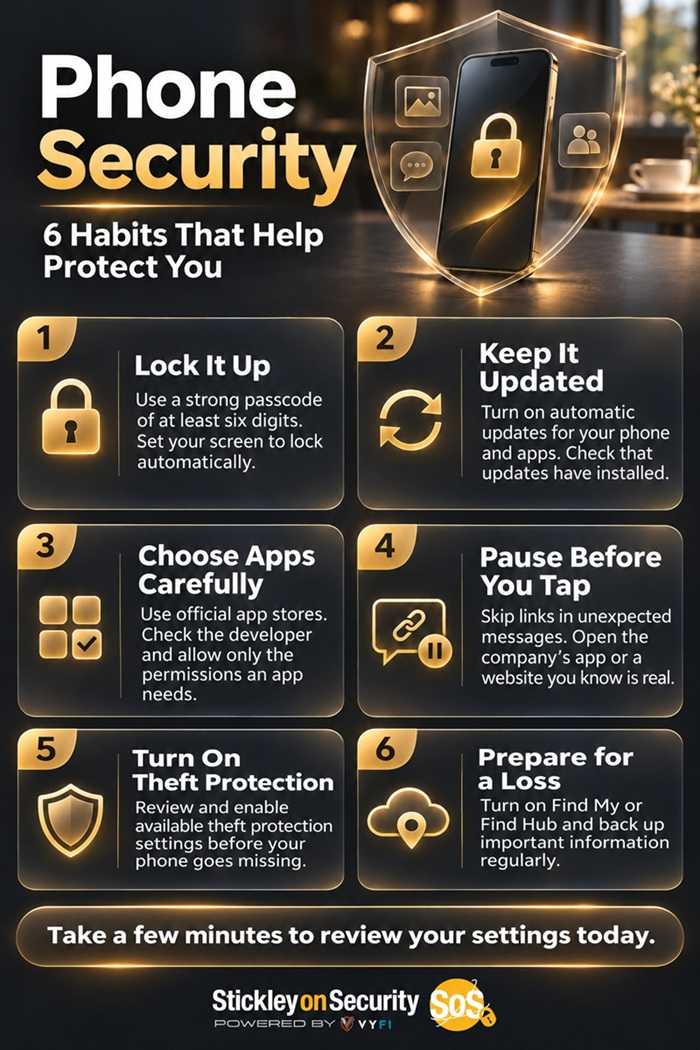
Use a strong passcode with at least six digits, and avoid obvious choices such as your birthday or repeated numbers. Fingerprint and facial recognition make unlocking convenient, but your backup passcode still matters. Set the screen to lock automatically after a short period of inactivity.

2
Software updates often fix security weaknesses, so that update reminder deserves your attention. Turn on automatic updates for your operating system and apps, and check periodically that they have installed.
If your phone no longer receives security updates, consider replacing it. A device that still makes calls and takes pictures may no longer have the protections needed against newer threats.
2
Use your device’s official app store, check the developer’s identity, and review what an app actually does before installing it. Official stores provide safeguards, but they are not a guarantee that every app is trustworthy.
Avoid jailbreaking or rooting your phone to bypass its protections. Also, pay attention to permission requests. A photo editor may need access to selected pictures, but that doesn’t mean it needs your contacts, microphone, or location. Review permissions periodically and remove apps you no longer use.
2
Modern phones include security protections that deserve more attention than a random “virus cleaner” advertisement. On Android devices with Google Play, keep Google Play Protect enabled to help detect harmful apps.
Never install an app simply because a website or pop-up claims your phone is infected. Close the page and investigate through your device settings or the manufacturer’s official support resources.
2
Public Wi-Fi is not automatically unsafe. Most websites now encrypt information as it travels between your device and the site, making casual snooping much harder.
However, an encrypted connection does not prove a website is legitimate. A scammer’s website can use HTTPS, too. Check the actual website address, heed security warnings, and use your cellular connection if you’re unsure about a network. Cellular service won’t protect you from entering information into a fake website, either.
2
A secure phone can still receive a convincing scam. Be cautious with unexpected delivery notices, account alerts, and messages demanding immediate action.
Instead of following the supplied link, open the company’s app or visit a website you know is legitimate. Protect important accounts with strong, unique passwords and multifactor authentication. Use passkeys where available.
2
Back up important information regularly. Check that Apple’s Find My or Google’s Find Hub is enabled, and learn how to locate or secure your phone from another device.
Also review theft protection features. Apple’s Stolen Device Protection and supported Android theft protection settings can add safeguards if someone takes your phone. Availability varies, so check your device’s settings before you need them.
Your phone carries a large part of your personal life. Taking a few minutes to review its protections today can help prevent a much bigger problem tomorrow.
For banks and credit unions
Share this article with your members
Copy a ready-made summary and link for your newsletter, website or social posts.