We spend plenty of time protecting our passwords, avoiding suspicious links, and watching for online scams. But identity thieves don’t always need a computer to get their hands on our information. Sometimes, an overflowing mailbox or an unlocked drawer will do.
Whether you’re heading out for the holidays or staying close to home, these everyday precautions can help protect your identity right where you live.
2
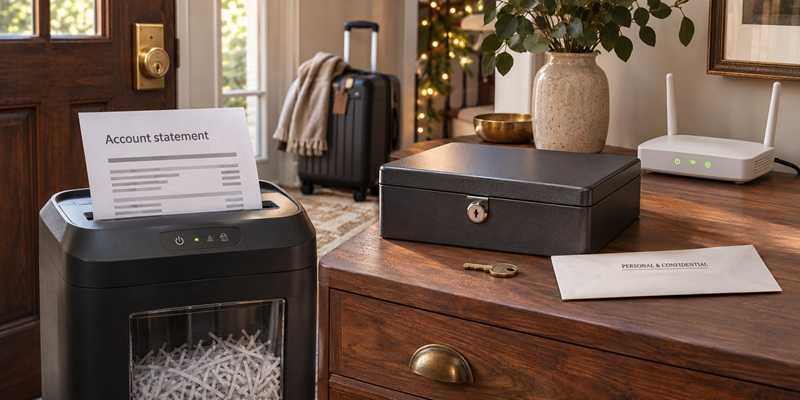
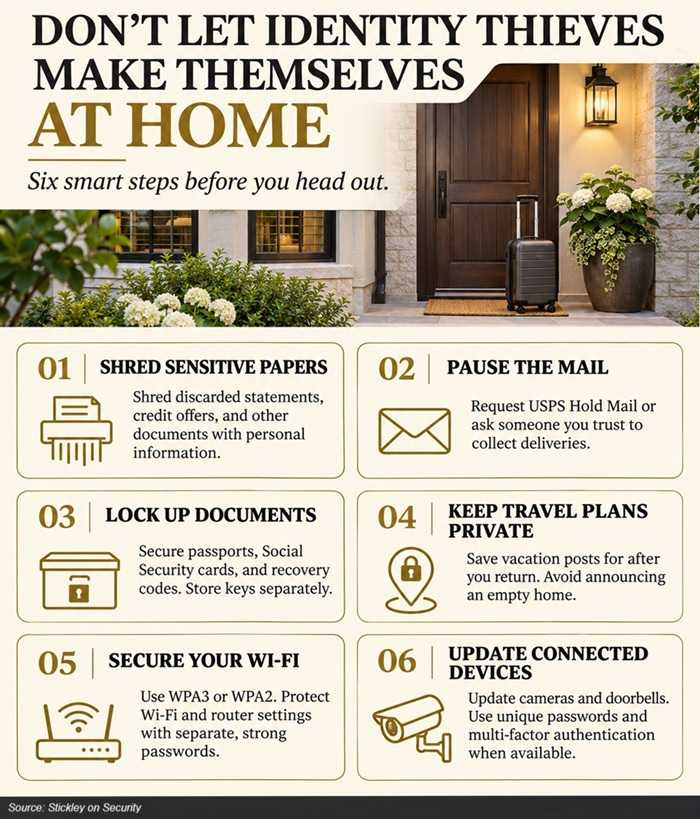
Bank statements, insurance paperwork, credit offers, and medical documents can contain information criminals would love to collect. Before tossing sensitive papers in the trash or recycling bin, shred them.
Keep documents you still need, including records required for taxes or other important purposes. Once you’re ready to dispose of them, use a shredder or a reputable community shredding event. The FTC recommends shredding discarded documents containing personal or financial information.
Your trash shouldn’t become someone else’s research project.
2
Collect your mail promptly, and avoid leaving it in your mailbox overnight. Before traveling, arrange a USPS Hold Mail request or ask someone you trust to collect it.
Be careful with outgoing mail, too. The FBI and U.S. Postal Inspection Service warn that stolen checks can be altered or used to create counterfeits. If you mail a check, use a mail slot inside the post office rather than leaving it in your home mailbox. Consider electronic payments through your financial institution when appropriate.
If an expected check, payment card, or other important piece of mail doesn’t arrive, contact the sender.
2
A drawer labeled “important stuff” isn’t much of a security system.
Keep Social Security cards, birth certificates, passports, and other sensitive records in a locked document box, cabinet, or safe. The FTC specifically recommends locking up important identity and legal documents.
Store spare keys or combinations separately. Printed account-recovery codes and any written passwords also deserve secure storage, rather than a spot beside the computer.
The goal is to limit access, even when guests, contractors, or other visitors are in your home.
2
An unexpected visitor may claim to represent a utility company, security provider, charity, or home-repair business. A uniform, clipboard, or convincing story doesn’t establish that person’s identity.
Before sharing account information, signing paperwork, or allowing access to your home, verify the visitor through contact information you independently know is legitimate.
Don’t provide passwords, verification codes, or your Social Security number just because someone at the door asks. If the request feels rushed or intrusive, end the conversation and check it out yourself.
2
Security cameras, video doorbells, and other connected devices need protection, too.
Replace default device passwords with strong, unique ones. Enable multi-factor authentication on associated accounts when available, and install updates for both the devices and their companion apps. Disconnect older equipment you no longer use, especially if it no longer receives security updates. These are among the FTC’s recommendations for securing connected home devices.
A camera watching your front door shouldn’t become an unprotected window into your home.
2
Your router has two important passwords: the Wi-Fi password used to connect devices and the administrator password used to change router settings. Protect both with strong, unique passwords.
Use WPA3-Personal encryption when supported, or WPA2-Personal if necessary. Older WEP and WPA security options are outdated. Keep the router’s software updated, and choose a network name that doesn’t reveal your name or address.
If your router supports it, use a separate guest or smart-device network for visitors, cameras, and connected appliances. Check that it blocks access to devices on your main network. A different network name alone doesn’t guarantee that separation.
Protecting your identity takes more than watching what happens online. Before you lock the front door, give your mail, documents, and connected devices a little attention, too. Your vacation should come with memories, not an identity-theft cleanup.
For banks and credit unions
Share this article with your members
Copy a ready-made summary and link for your newsletter, website or social posts.