WhatsApp is a great app for keeping in touch with those we care about and the hackers know it. They probably even use it. It has over 900 million users all over the world. That’s why it is one of the apps being used to try and get people to enter banking credentials into a malicious site that sends them to the bad guys. The malware is currently being reported in Singapore, but with tools like WhatsApp, it’s unlikely to be limited to just that location.
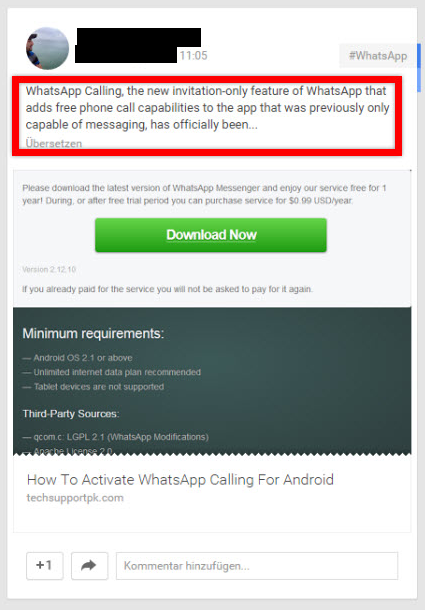 The malware, in the case of WhatsApp, appears to be a popup stating an update is available for the app. The user is asked to “extend” his $0.99 subscription by entering payment info.
There is another variation which will continuously pop up messages asking for administrator privileges in hopes that users will get popup fatigue and click it just to make it go away. Once the link is clicked, malware is installed. Another version appears to be a system update for Samsung devices, and yet another is disguised as Adobe Flash Player.
Don’t fall for any of these. Don’t give apps administrator privileges. They don’t need it.
Always update apps and devices using the recommended update functionality of your devices. Avoid getting these from sites other than the official stores such as Google Play, Blackberry Appworld, and the Apple App Store, as sideloading can be dangerous. These items typically do not go through as much security scrutiny as they do for the official stores.
In addition, make sure all devices have anti-malware installed on them. These days, mobile devices are just as susceptible to these malicious programs as desktops and laptops. Keep all programs updated through the official stores or by using the update features of the computer.
Even when searching for apps in the stores, do some research to make sure they are not going to do damage to your devices. Sometimes, malicious code does make it through, but the risk is much lower. Check reviews and only get apps from reputable sources.
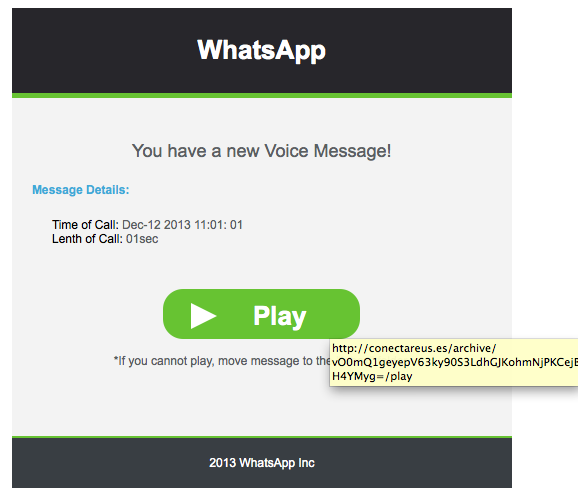
This particular malware also has the ability to intercept text messages. If you have multi-factor authentication enabled with your financial institution, and you should, the malware can get the code the bank sends back via text. Always pay attention to popups and messages that appear on your screens and don’t just accept terms because you want them to go away. Cybercriminals count on this. Don’t let them wear you down.
This malware appears to be focusing on Android at the moment. However, things evolve quickly in our mobile world, so expect it to be showing on an Apple or other device near you any time.
For banks and credit unions
Share this article with your members
Copy a ready-made summary and link for your newsletter, website or social posts.