

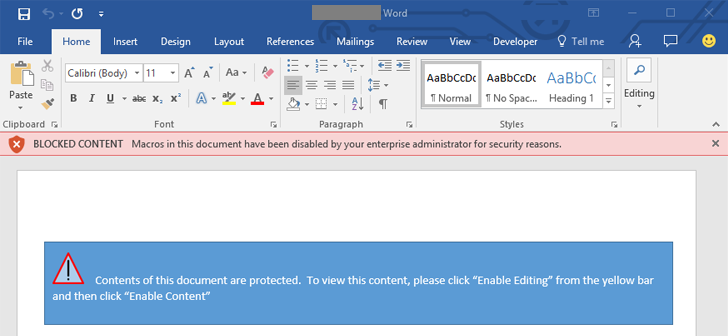
Microsoft (MS) is helping combat macro-based malware. The company says that within the past year these types of threats are rising. In fact, 98% of MS Office targeted threats use macros to distribute their wares. So MS is creating a way to allow administrators to better control when and if macros can be enabled.
The main risk of executing macro-based malware is due to human curiosity. Email messages phish for information using attractive subjects and because popup fatigue is real, cyber criminals know that most will click away the dialogue warnings without a second thought and enable macros.
The new Group Policy features being implemented by Microsoft can allow administrators to do a number of things:
- Block macros from cloud services
- Block macros in attachments from outside businesses
- Disallowing users from exiting the protected view when opening Word documents in Outlook
- Display a message that lets users know they are potentially opening a malicious document if they try to bypass the protected view functions and block all macros

All users should be educated on the appropriate time to open attachments or enable macros or other features that may allow malware to be distributed on the network. This should be part of an overall security strategy and policy. Add in specific training coursework and hit all the points, particularly about phishing and how to avoid becoming a victim.
In addition, review that security policy regularly; at least annually and when people with certain privileges and access change. Test it and update it as part of regular protocol. Don’t forget to include a policy on what personal devices can connect to your network and that all of those must also contain anti-malware software. Lastly, make sure a patch program is in place and that all systems are kept updated.
Of course, there are cases where macros are needed. If this does come up, administrators will need to work the details out for those with the users.
For banks and credit unions
Share this article with your members
Copy a ready-made summary and link for your newsletter, website or social posts.




