

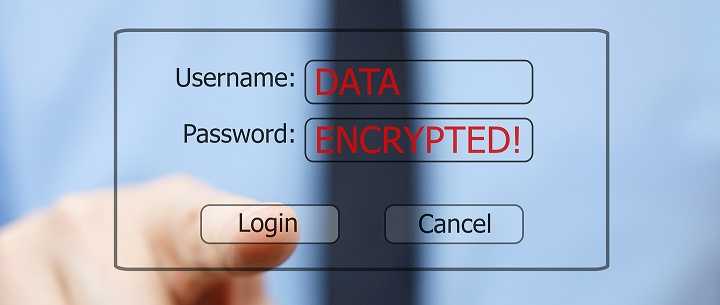
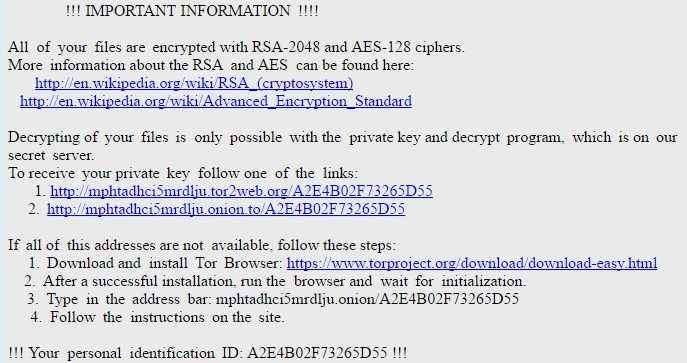
Are you feeling Locky? Researchers at Cisco have found a new variant of the Locky ransomware. The researchers saw over 140,000 emails that used a consistent naming pattern to deliver a malicious attachment. This recent version, being called Zepto is over 98% identical to Locky in how it functions and is not yet detectable by most anti-malware software.
You may recall, Locky used a malicious macro-based document to execute its payload. If that was released, files on the affected machine were encrypted until a ransom was paid in Bitcoin. Researchers found that over 75% of the code in Zepto is the same as Locky. They are calling it an extension of the malware rather than a completely new variant in that it adds new features to the existing code. One of the more interesting features is that it doesn’t encrypt all of the files that make the operating system work properly. Could this be a smart move on the part of the developers? If the entire machine is locked up, presumably the victim cannot pay electronically if he or she does not have another device to use. Therefore, leaving some functionality in allows the victims to pay up.
However, don’t give them any money in any form. It isn’t recommended because it only reinforces to the cyber criminals that they can get paid by taking users’ files hostage. Instead, make regular backups of your important files. Then they can be restored should the need arise. This can be done using a USB drive if the files are small enough or to an external hard drive for those wanting to copy all of the software from their computers as well. These have come a long way and can now be found in multiple terabyte sizes and are nearly plug and play for most computers. Mobile device backups are becoming more easily and efficiently done as well with cloud capabilities or just by plugging it into a computer.
 Rather than having to go through the trouble to restore from one of those backups, be aware of what phishing email looks like to begin with and avoid it there.
This one, as well as most malware, is distributed in email messages. If you are not expecting an attachment or link, be very skeptical. Call the sender or send a new email and confirm before opening. If the attachment asks to enable macros, be very sure that those macros are not going to unleash a creature of the deep on your device. If you didn’t create the macros or someone you know and trust didn’t, it’s best not to allow them.
In the case of Zepto, the downloader is contained in a “.zip” file. If it asks you to install a program to “unzip” it, there could be malware in it and you should delete the message.
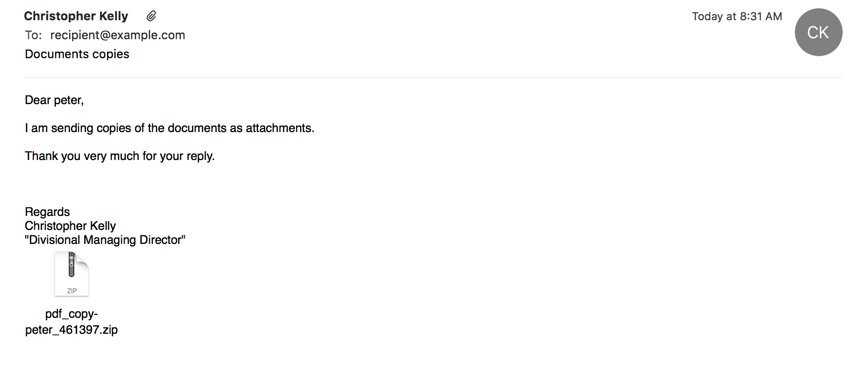
The greeting of Zepto’s email changes and is fetched from a randomly generated array followed by the recipient’s name; just to keep us all guessing. The encrypted files will have a “.zepto” extension attached and it targets the same files that Locky does. It’s worth it to make sure your anti-malware is updated, all patches and new versions of software are applied, and to educate yourself and others on phishing to avoid the teeth of Zepto.
For banks and credit unions
Share this article with your members
Copy a ready-made summary and link for your newsletter, website or social posts.




