


Researchers from Threat Fabric have found another morphed version of a very dangerous Trojan. LokiBot, which was first seen early in 2017 has already evolved a couple of times, adding new functionality. A previous version uses administrator access that is given when a user is duped into 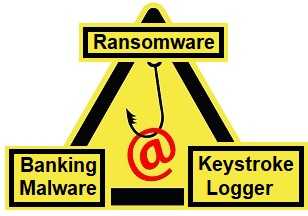 using a fake login screen for various mobile banking apps. It then packed a double punch by being able to lock devices holding them for ransom. The new one that seems to be using some of the same functionality while “improving” it, targets Android devices; specifically versions 7 and 8.
Mysterybot, as the researchers are calling this one has garnered additional talents. LokiBot can do a variety of things (once it’s granted administrator privileges). However, Mysterybot can do even more. It not only is a banking Trojan and ransomware, but it also captures your keystrokes now too creating a trifecta of trouble. It can also respond to a new variety of commands, such as make phone calls, get contact list information, copy, delete and send SMS messages, change the default SMS app, delete contacts, and more. It also possesses phishing functionality. It can overlay fake pages atop legitimate ones tricking users of the Android devices into falling for phishing attacks.
 Remember not to give any app or software administrator permissions unless you are 100%, without a shadow of a doubt, certain that it needs it. The vast majority of these products don’t, and you really need to be a developer or system administrator to need apps that do need these permissions.
- Next, remember that Adobe Flash Player is not supported and therefore will not be updated on Android devices. Mysterybot actually masquerades as a Flash Player update request.
- Always keep current backups of your devices too. This can save you a lot of time, grief, and potentially money should one become infected with ransomware.
- Be sure to install and keep updated security software for all of your devices and keep your devices updated at all times. As soon as you are notified there is one available, apply it.
Finally, always keep the fact that phishing attempts can occur at any time in your mind. If something doesn’t quite feel right to you, shut down the app or the device if needed, and start again.
For banks and credit unions
Share this article with your members
Copy a ready-made summary and link for your newsletter, website or social posts.




