

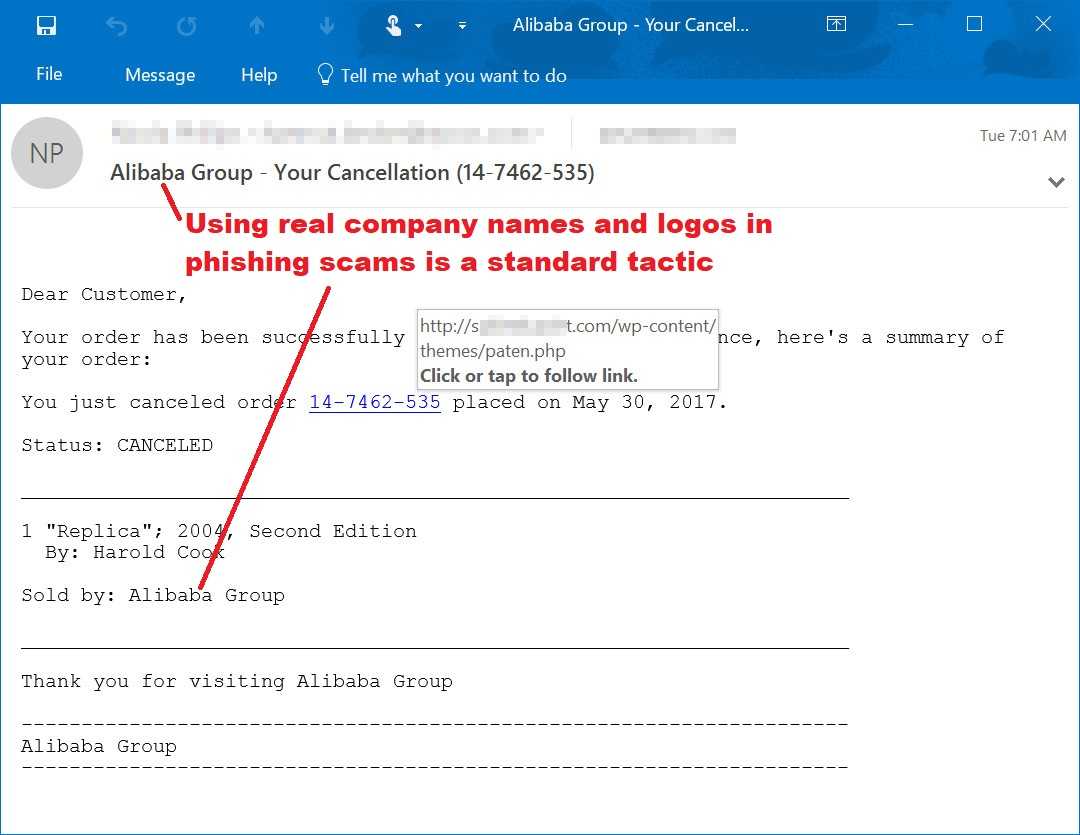
Researchers have found another example of hackers using fake invoices send in email messages in order to get malware loaded onto the desktops of users everywhere. The researchers from a security firm, LMNTRIX, dubbed it Special Ear, after a phrase found in the malware code. These messages try and dupe users by pretending to be from typical vendors that businesses use on a regular basis with the goal of getting a keylogger on the computer so the hackers can listen to your every tap.
The emails are constructed to look like invoices or purchase order. This is becoming more common as a practice for phishing. In fact, a newly discovered phishing scam uses an Australian multinational tax and accounting software company, MYOB, to trick users into opening these attachments and links. This trojan is called DanaBot and also sends screenshots to the command and control center the hackers control.
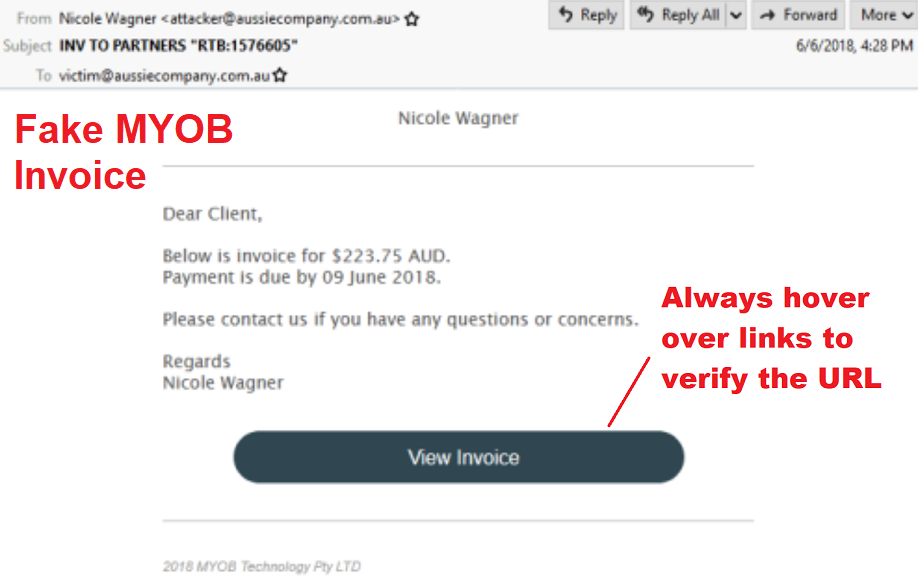
In addition, these emails being used in Special Ear are developed in such a way that it makes them even more believable. For example, the hackers may make the sender’s address appear as if it’s coming from India or Saudi Arabia by adopting the top level domain; “.co.in” for India or “.com.sa” for Saudi Arabia. Included in the messages are executable files that if clicked, will set off the malware.
The researchers believe these attacks are originating from China based on the Chinese phrases found in excess within the file, although the spam appears to be coming from the Netherlands. It’s just yet another tactic used to throw investigators off the hackers’ tracks. Regardless of where the attacks originate or who is performing them, they can happen to any company in any country and target any industry. There is valuable information the hackers love getting their hands, or ears, on all over the world.
 It’s important to keep antivirus software installed and up-to-date on computers. These products are very good at keeping such malware at bay. In addition, because many malicious files also take advantage of unpatched systems, keeping everything patched up is also a key to staying one step ahead of the bad actors.
Remember never to click on links or attachments in email messages that you are not expecting. If you receive one, pick up the phone or pay a personal visit to verify it first.
For banks and credit unions
Share this article with your members
Copy a ready-made summary and link for your newsletter, website or social posts.




