

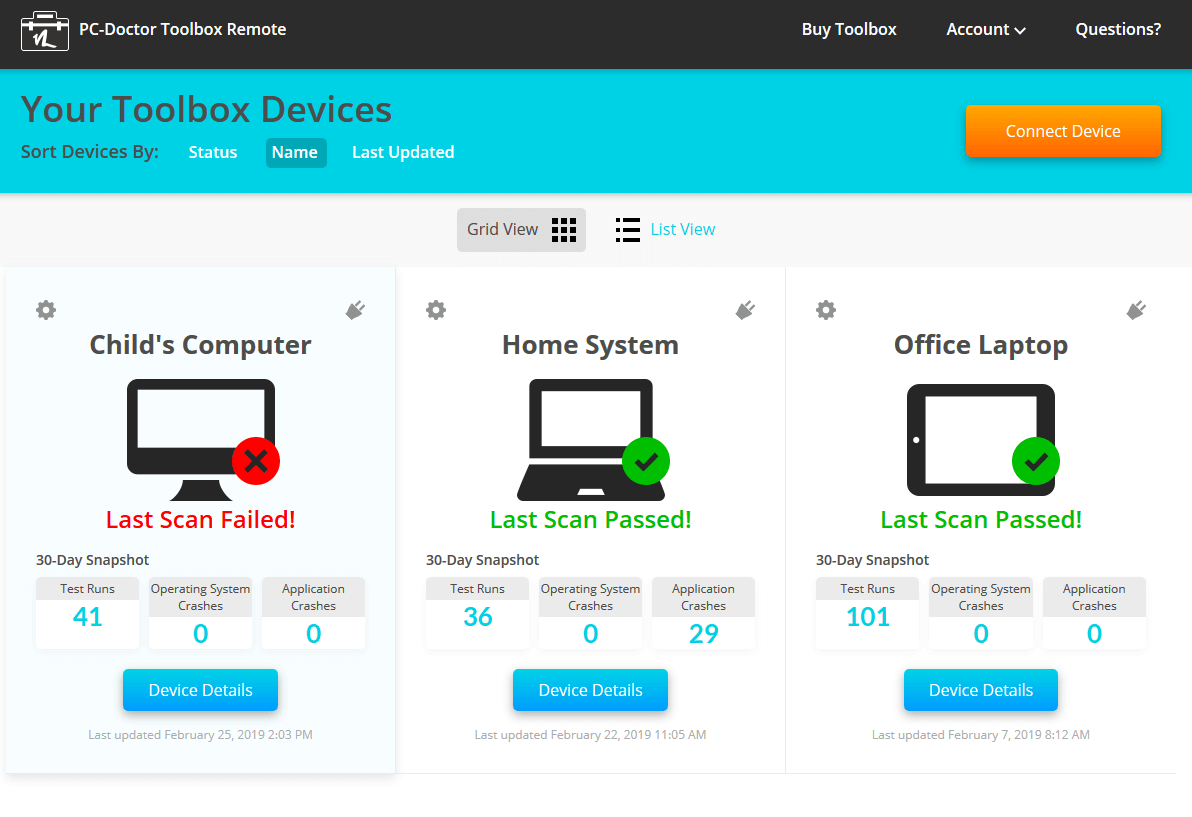
As if there aren’t enough things to worry about for Microsoft Windows 10 users, now there is something else to add to the list. Gizmodo is reporting that some software that comes pre-installed on many PCs has a vulnerability that has left “millions” of users at risk for attack. And not just any old minor one; one that may allow the attacker to gain full control over the PC.
The flaw is within the tool called “PC-Doctor Toolbox.” It is systems analysis software and the various companies that install it rebrand it for their particular devices. For example, Dell calls it “Support Assist,” Corsair calls it “One Diagnostics” or simply “Diagnostics,” and Staples calls it “Easy Tech.” There are more partners that use this tool, so do some checking on your device to find out what it’s called.
There have been issues with this Toolbox before. Back in April, in fact. Dell released patches to address it. However, it’s likely there are more forthcoming as well that we don’t know about yet.
The best advice right now is to uninstall the PC-Doctor Toolbox, or whatever it’s called on your device. If you don’t know how to do this, find someone who does and ask for help.
Additional advice is to watch out for popups on your devices. If something appears, seemingly out of nowhere on the screen, don’t just go clicking on buttons to make it go away. Take a few seconds to read it. If it claims to be an update, close the box using the “X” or another way to close it out without clicking a button. Then, go directly into the software that it claims it needs to update and see if it is a legitimate one.
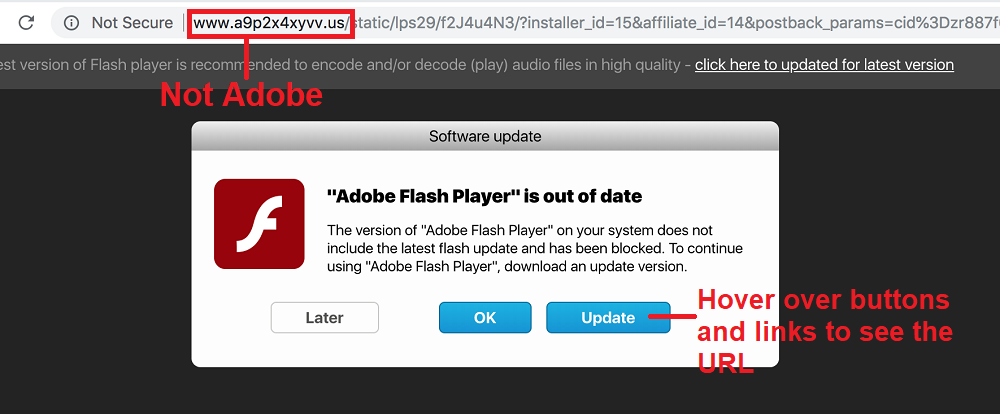
You see, many times attackers will take advantage of vulnerabilities just like this one by sending popup boxes to your screens. They hope you will click the button that allows them to get their malware onto the device. So, don’t get in such a big hurry that you do this. You can also reboot your computer. Do a full restart and wait patiently until it is completely up. Don’t open a browser, because that will just confuse you once popups start coming along there. And often, those are fake. If there are available legitimate updates to any of the software on your computer, look for them right after the machine completely reboots. Those are trustworthy. If you’re in doubt about what a popup is asking or how to check for updates, ask someone for help.
Also, watch out for phishing email and other messages that try to portray such a sense of urgency that you do some quick action. Yes, there may be an issue you need to address, but avoiding clicking on links, buttons in popups, and attachments sent in email that you are not expecting, are from unfamiliar senders, or that just don’t seem legitimate is your very first line of defense against attacks like this.
For banks and credit unions
Share this article with your members
Copy a ready-made summary and link for your newsletter, website or social posts.




