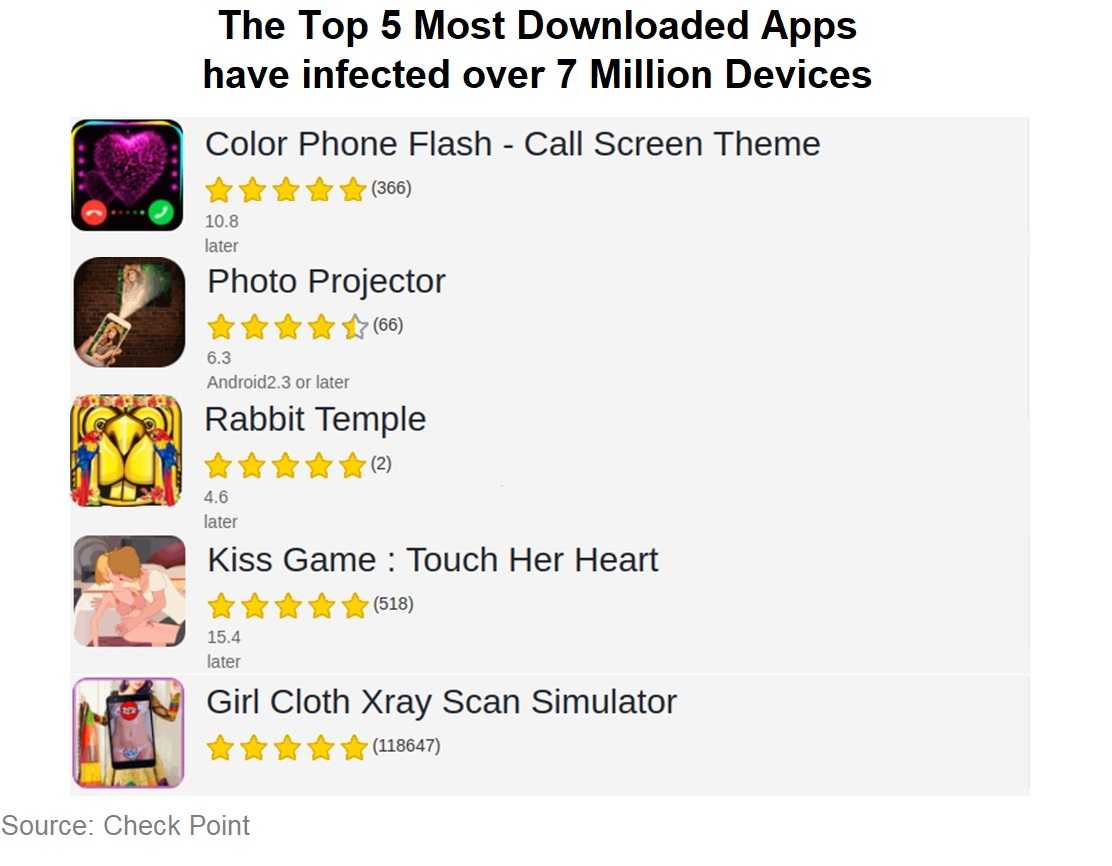
The name is Smith. Agent Smith. It’s the latest malware creation hitting Google Play Store apps. It’s now believed to have infected over 25 million users who get their apps from the official store. Over the last few years, Google Play Store has seen more than its share of infected apps, with hundreds having been removed from public consumption to date. But in many cases, the damage was done to millions of users who downloaded infected apps before they were removed from the site. Enter Agent Smith, a new malware capable of cloning apps already installed on a device. App fans hit with Agent Smith have no idea their apps have been cloned and replaced with malware duplicates.
Agent Smith was developed in 2016, and only appeared in apps that were sideloaded from unofficial sources, keeping away from Google Play…which again is why sideloading can add risk to your devices. The source of Agent Smith is believed to be a Chinese company that originally helped app developers get their products on the open market. However, at some point their focus changed. Check Point reports finding the malware in the official Google store were infected with Agent Smith. The apps are chock-full of adware, spyware and other viruses just waiting to steal your important data including passwords and banking information by using trickery and deceit.
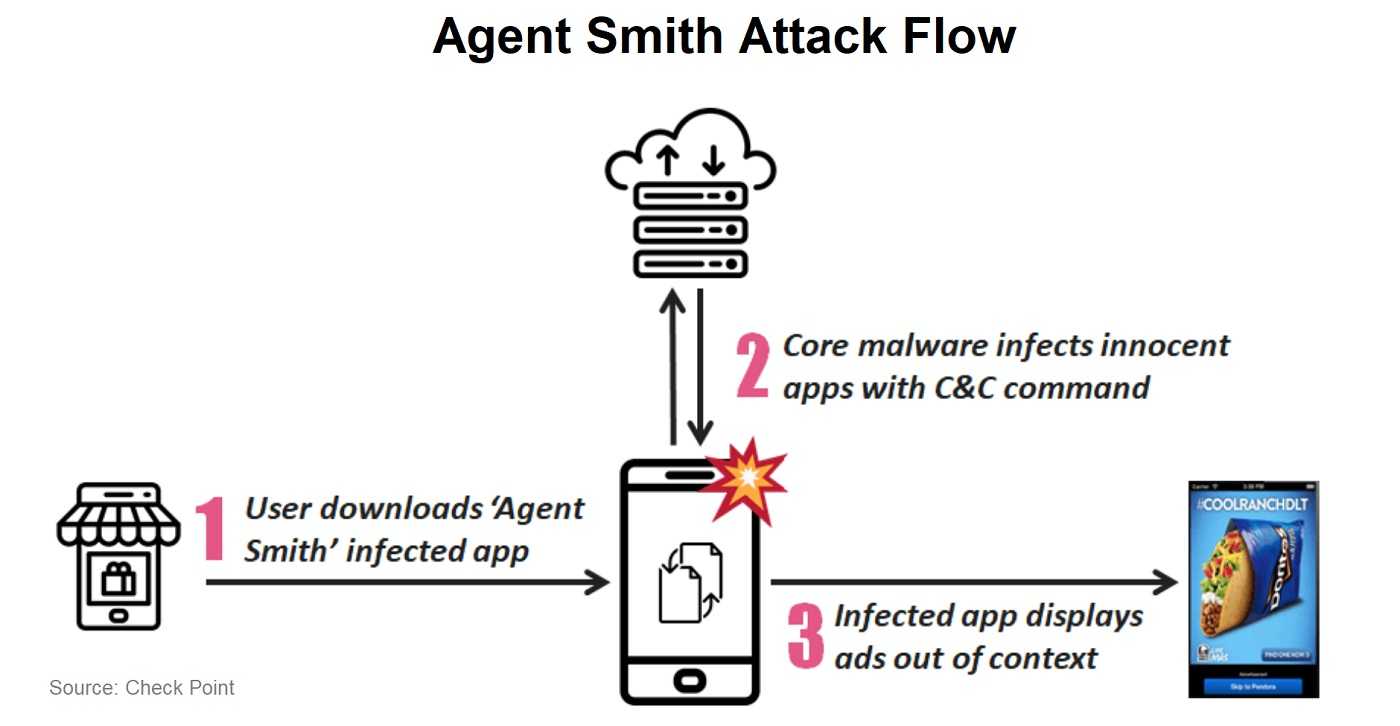
Agent Smith operates by using an effective clone-based app operation. The malware sneaks onto devices by hiding in infected apps already for sale on Google Play. Unsuspecting users download the malicious apps and then Agent Smith goes to work. The viral Agent then clones those apps, replacing them with a malware-filled duplicate. Users are none the wiser, as the infected apps behave exactly like those that were replaced by Agent Smith. Sneaky. Very sneaky.
Although Google tries to do everything possible to find malicious apps on in the store and kill them before they can do damage, there are those that still get through. The good news is there are some commonsense app-safety tips to reduce the likelihood of putting malicious apps on your device.
Regardless of its mishaps, the safest place to download apps is still from Google Play Store. Going elsewhere for apps is always the riskiest choice. Sideloading them from unofficial app stores or websites is the surest recipe for disaster. Hackers love to infest those sites with their malware apps. Also, be sure to read reviews of all apps before downloading them. User feedback can highlight problems with the app you wouldn’t otherwise know about, and it can save a lot of grief. If there are only a few reviews and they are generally glowing, you may want to wait till more people have tried them first. Often, those are fakes just to get people to download the malicious apps. There is always something negative to find when reading the reviews. If there isn’t, something could be amiss. Remember, app-sense is always good sense.
For banks and credit unions
Share this article with your members
Copy a ready-made summary and link for your newsletter, website or social posts.