

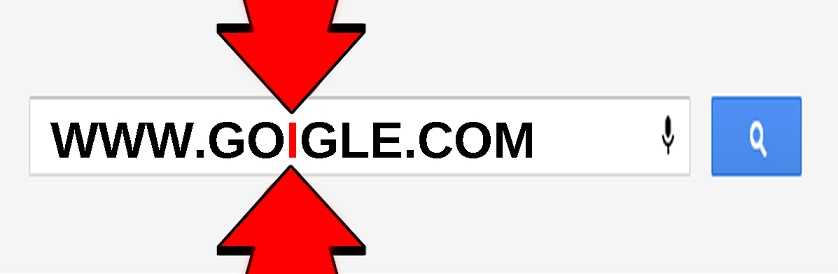
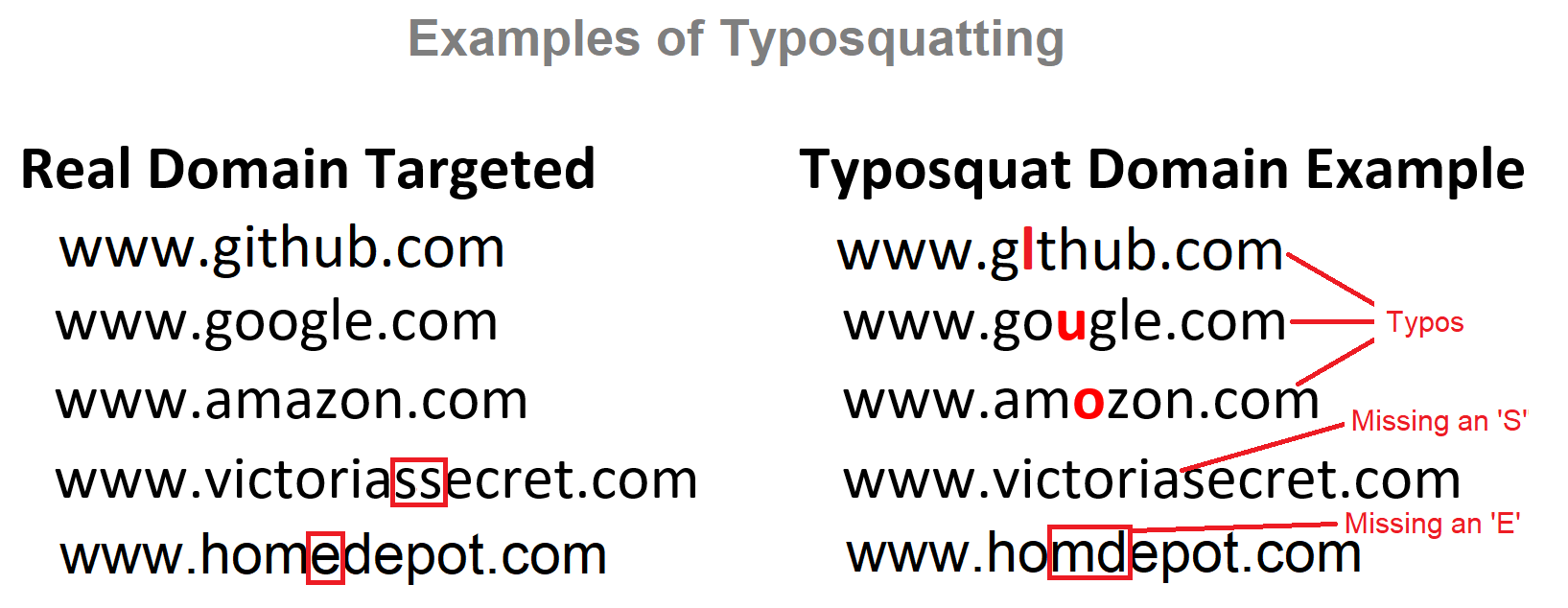
The holiday shopping season doesn’t end on December 25. In fact, due to after the holidays sales, new year’s sales, and even Martin Luther King Day sales, retailers try to take advantage of the shopping spirit as far into the new year as possible. Those who like to capitalize on this by domain jacking (also called do-jacking or typosquatting) are also upping their game. In a study by FairWinds Partners, 80% of the sites used for domain jacking see a significant increase in traffic during these times. Phishing scams, pay-per-click ads and malware are on the rise and unfortunately the retailers everyone loves to visit online are used in these scams.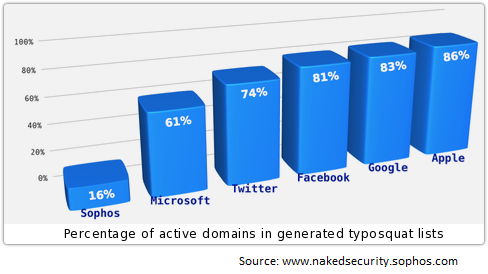 Do-jacking is when a cyber criminal purchases a domain that is very close to a popular site and uses it for various scams. Often, it will collect information and use it for other nefarious purposes. Sometimes, it is used to get malware onto a visitor’s computer or device. Do-jacking happens when a letter is added to a site name as it for barnesandnobles.com (the real one being without the “s” on the end), for example. They take advantage of people making typographical mistakes. With a quick glance, the user likely won’t notice the subtle difference. This also occurs when a letter may be substituted with a number; such as replacing a lower case “L” in a name with a number “1.”This is a very common problem with online banking sites or for sites where payment card data is entered, because the cyber thieves know that the credentials associated with those sites are very valuable.
 It’s advised that when preparing to do shopping online or enter any confidential, sensitive, or personally identifiable information into a website, you take a little extra time to review the site name and make sure it’s correct first. Use caution when typing in the names, because going to a site even for a second can cause malware to be downloaded onto your device. This is called a “drive-by download.”
 Always make sure your devices are all equipped with anti-malware and anti-virus software or applications. This includes all mobile devices on any operating system. Although Apple iOS and OSX are (perhaps erroneously) thought to be more secure than others, they are quickly becoming targeted more often. A study in 2014 by Marble Labs found that both Android and iOS are equally vulnerable to mobile malware. This is largely due to the social engineering tactics that cyber thieves use. While Apple largely controls distribution of the apps for it’s product, people will always be the weakest links and can often be convinced to perform actions that may allow an attacker to take advantage. So always stay alert to these types of tricks.
Be alert of ads that appear on websites too. Those often contain malware that can quickly and even unknowingly get executed on your device.
If you are ever in doubt about a website’s authenticity, don’t put any data into it. Instead, do a little more investigating and be sure before doing anything further. Don’t let do-jacking and malware rain on your shopping parade.
For banks and credit unions
Share this article with your members
Copy a ready-made summary and link for your newsletter, website or social posts.




