

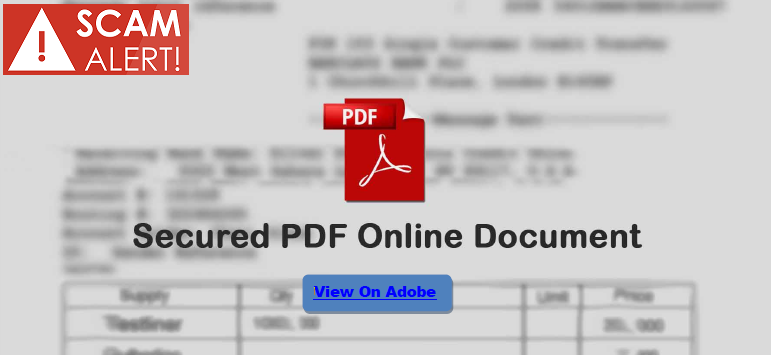
It’s not uncommon to receive email asking you to update your profile information. If it is an actual request, the sender will usually recommend you go directly to your account to do that. However, there are many scams where phishers will include links that will redirect users to a webpage that appears to be legitimate. However, these are really imposter sites where scammers collect all those details such as login credentials, names, payment card numbers, social security numbers, etc.
There is a rather clever one being seen where the users receive email stating there is an important or secure file waiting for them. There is a link, of course, that will direct the users to a page where a blurred image of the supposed “important” document can be seen, but in order to get to it, the user must enter credentials.
The really funny part is that which credentials the users must enter are not clear. The thieves don’t state anything specific, so it is up to the users to decide which ones to provide. Then whatever they are is captured. If the users are not paying close attention, they could give up some very valuable information.
 It’s easy to get overwhelmed by all the windows popping up when we are on the Internet these days. However, it is important to pay attention to what they are saying. If you need to update your profile information, it is always a better idea to go directly into your account and make any changes there. Don’t just click links, because phishing is getting harder to detect these days.
Never provide details in a form that comes up unless you are sure that without a doubt, scammers are not behind it. If you need to fill in a form, go to the website of the company and pull it down from there, rather than clicking a link in email.
In addition, always keep anti-virus and anti-malware installed and updated on your devices; even for iOS. Apple products are no longer safe from the same things that affect other operating systems.
 As always, if you are not expecting to receive a link or attachment in email, then it should always be met with suspicion. Confirm with the sender by placing a phone call or sending a text or completely new email, even if it appears to come from someone you know before opening anything like that.
Phishing isn’t likely to go away any time soon. That’s because it continues to work. It’s up to every individual to stay alert and make sure the fraudsters don’t blur our vision.
For banks and credit unions
Share this article with your members
Copy a ready-made summary and link for your newsletter, website or social posts.




