


Scams will likely always be around. That’s because they continue to work. People can be scared and taken advantage of and cybercriminals count on that. Following are a few that rely on scaring the victims in some way.
 Sextortion
In these types of scams, the attacker acquires or takes photos, videos, or text messages that are of an explicit nature and holds them over the victim’s head until money is paid. In one twist on this one, it isn’t money that the cybercriminal wants, but it’s more explicit photos, videos, or texts. If the victim doesn’t give him or her what is requested, the criminal blackmails the victim and threatens to post them online or send them to loved ones.
2
Another one that uses scare tactics is when a scammer impersonates a law enforcement officer, a lawyer, or someone in government such as an IRS agent and “demands payment” for something. The penalty for not paying, according to the criminal trying to do the scam is usually the threat of jail or in the case of immigrants, deportation.
2
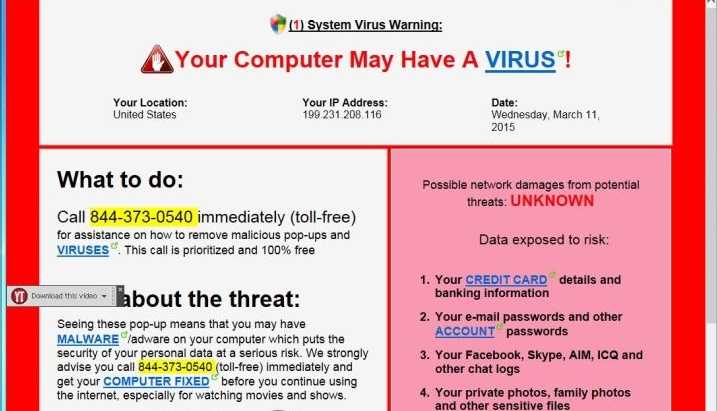
Most people have had a window popup on their computer screens claiming they may be infected with malware. It recommends the user purchase their product to do a scan and get rid of it. No one wants malware on his computer, which usually puts the victim into a panic. Unfortunately, these are often scams. Either the products install malware, require payment after only partially completing a scan, or install potentially unwanted programs (PUP) on the device. Often a toolbar just appears on the browser and the user has no idea how it got there. It could be one of these types of Scareware.
 What can you do?
1. Don’t take or send explicit photos, videos, or send explicit texts. These can really land you in trouble, even if you think it’s just for fun. Consider any photo, email, video, or text sent from a mobile device as fair game for Internet consumption. Just recall the “Naked Celebrity” scandal to determine how out of control that can get. If you don’t want it to show up on the Internet, don’t take it, send it, tweet it, or otherwise. Backups often are stored in the cloud, which means it’s not just on your device.
2. If ever asked to verify any account details, do it from a link you have bookmarked or saved previously. Don’t click links in email messages to do that. Go to the site where your account resides by using a bookmarked link and check the account that way.
3. If someone tries to scare you, especially if they claim they are in a position of authority such as the FBI, it should raise red flags. Remember that government agencies will never email or call you to initiate communication. Their correspondence starts with a letter in the mail.
4. Make sure anti-malware is installed on your Internet-connected devices and they are kept updated at all times. This will prevent the urge to immediately click on a popup that claims you have malware. Instead, you can check your own anti-malware product logs for activity. In addition, enable the popup blocker on your browsers. Consider installing an ad blocker as well. This will prevent most popups and ads from appearing in the first place and can help prevent someone from accidently clicking on malware.
For banks and credit unions
Share this article with your members
Copy a ready-made summary and link for your newsletter, website or social posts.




