

Mac owners beware! Those devices are being targeted more and more these days with various security threats. Recently spotted and reported by Check Point Software Technologies is a phishing campaign with a malicious attachment that can give the attacker(s) full access to Mac devices if a bit of malware is executed. It can also reboot the machine, redirect web traffic to fake sites, and spy on users.
According to Check Point, the malware is sent as an attachment called Dok. It’s a zipped file and in order to actually get it to execute, several actions have to take place.
First, it must be saved off to another location. Once that is done, it has to be clicked. After that, it copies itself to a shared user folder and proceeds to execute shell commands, which is how a user (typically an administrator) gets access to a computer’s operating system. Therefore, the malware will request the administrator password for the device.
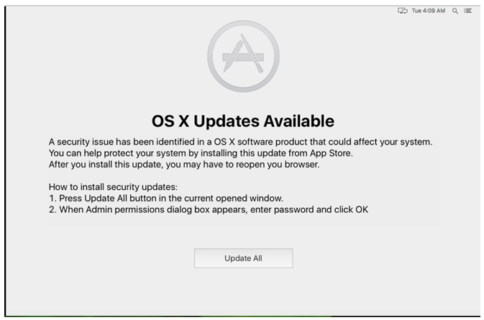
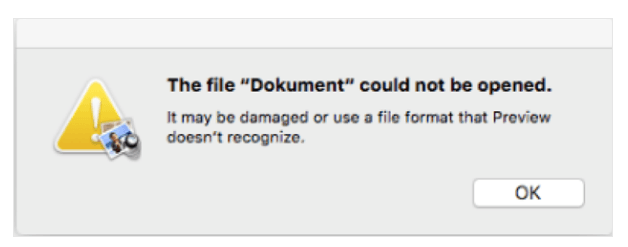
At some point in the whole process, a dialogue appears that claims the file cannot be opened and sends the user off to perform a fake security update. This also requires the administrator password, so it may be requested again. Then, the malware is set off to do its damage.
 Attachments in email messages should always be met with a bit of skepticism if they are either unexpected and/or from someone that is unfamiliar to the recipient. There is no such thing as a “safe” attachment anymore. Long gone are the days where PDF or zipped files can be trusted. Cybercriminals are disguising malware in about every file type these days.
If any file asks for an administrator password, it should come after the user deliberately starts an action that would require it, such as installing a wanted software program or changing some settings. If asked after an attachment in email is clicked and it seems like an odd request, it probably is and the administrator password should not be entered. Instead, shut the window by clicking the “close” icon on the dialogue box. If that is not successful, shut down the entire window or computer if necessary. Delete the offending message as soon as you are able and make sure that anti-malware and anti-virus is installed and updated and run a scan.
Apple has taken measures to prevent infections on additional devices. However, that does not guarantee it has been extinguished. Always use caution when opening attachments or links in email messages, regardless of who sent them.
For banks and credit unions
Share this article with your members
Copy a ready-made summary and link for your newsletter, website or social posts.




