


LinkedIn has about 500 million users and within those user accounts is a lot of information. So it’s not a big surprise when we hear that cybercriminals are using the service to hook victims in elaborate phishing scams. This time, researchers at Malwarebytes have found that they specifically target those who are utilizing LinkedIn Premium. And LinkedIn isn’t the only well-known name in this scam. The wily thieves are also using a shared Google Docs file as the lure. Even worse, the victims often may not even realize they’ve been scammed for a while.
Part of the problem is those users who were also victims in a recent data breach. Around 117 million user accounts, including passwords were stolen and subsequently found for sale on the Dark Web not long ago. Unfortunately, many did not heed the advice of security professionals and change their LinkedIn passwords. On top of that, they often use the same unchanged password on other websites, which led to even more accounts being accessed by unauthorized parties.
First, if you haven’t changed your LinkedIn password within the past year, do it now. Make sure it is unique to the one site. Passwords need to be changed on any websites for which you used that same password as well. Someone out there probably has it, so don’t let them use that information to log into all your accounts. Criminals are counting on people using the same username and password. It makes their lives much easier.
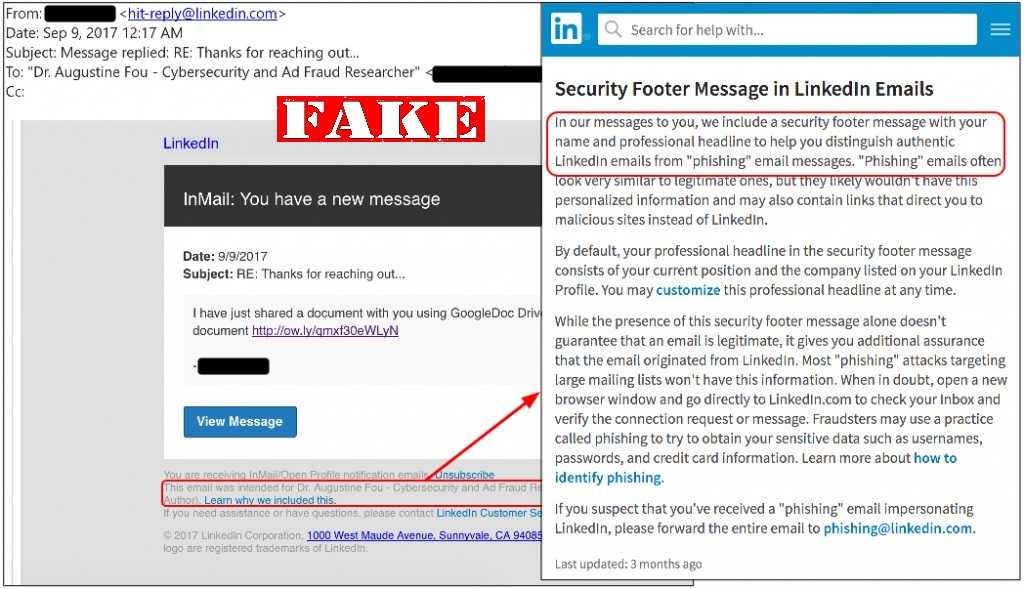
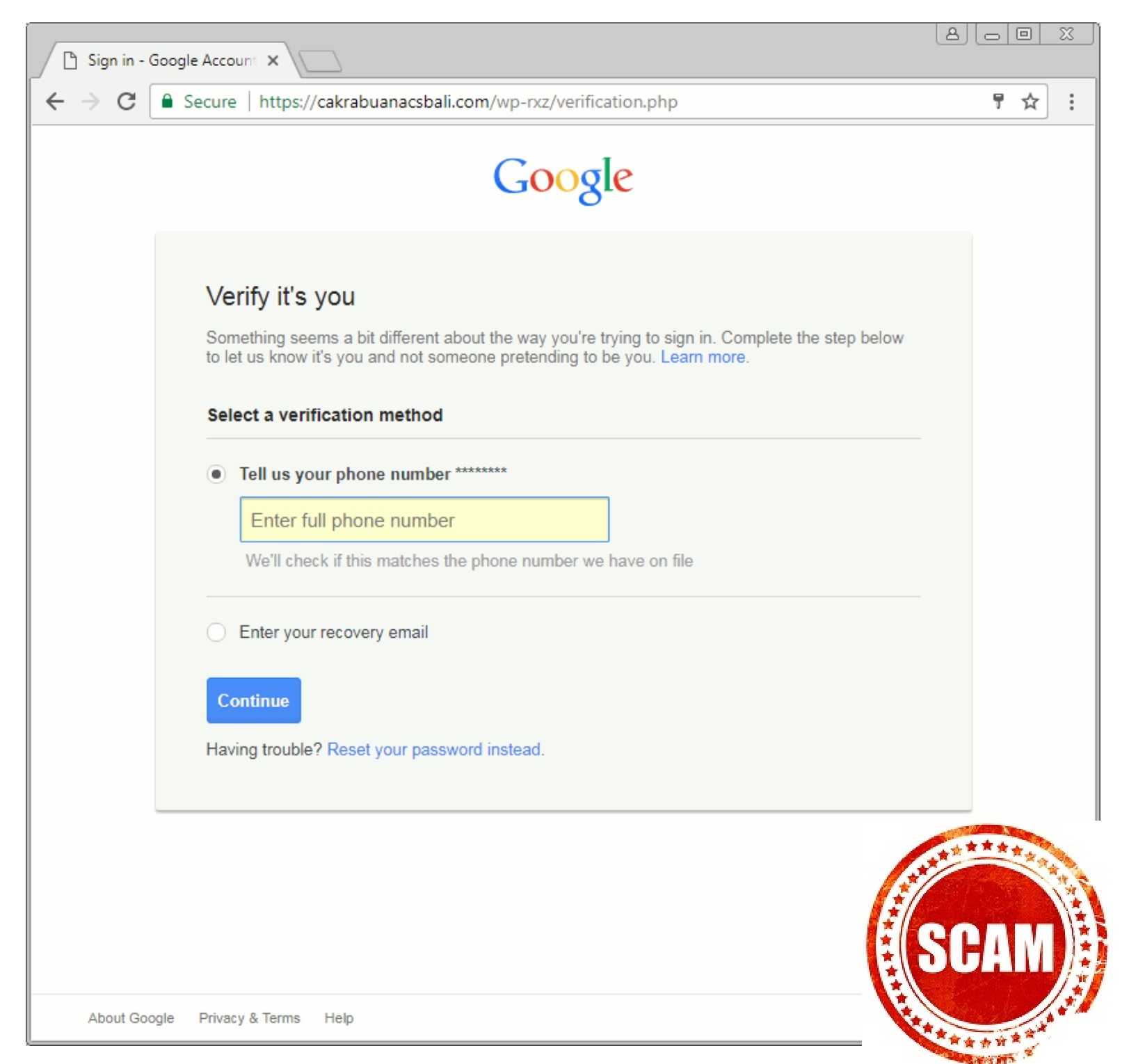
As for this scam, the thieves use LinkedIn InMail and the private messaging features to send notes with shortened URLs (web links) to users claiming there is a Google document available for viewing. If the link is clicked, it goes to a compromised website where the Google credentials, or those for other email websites such as Yahoo are requested. However, that site looks nearly identical to the real one, so it’s tough to notice that it’s a malicious site.
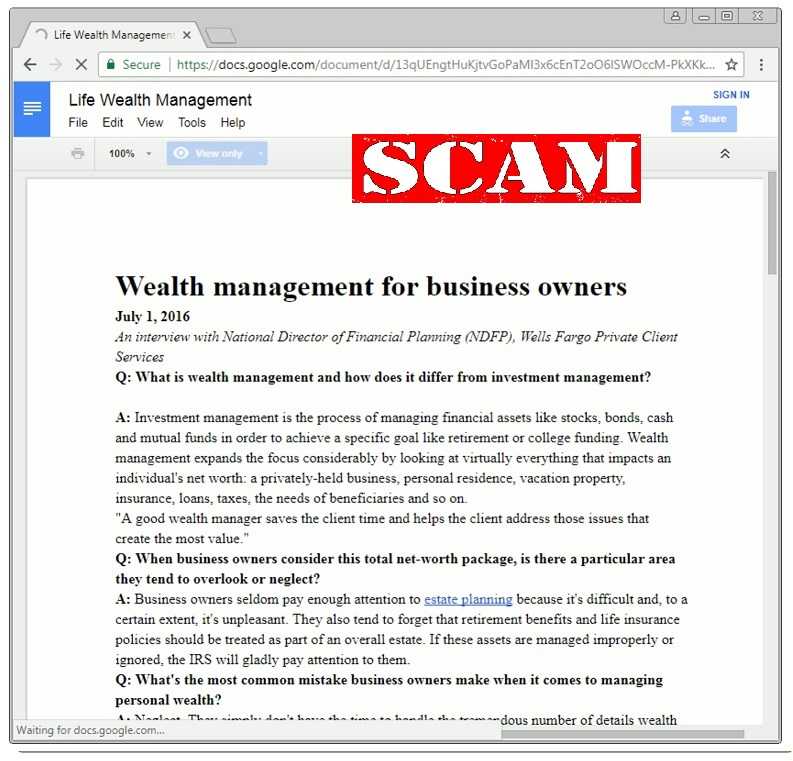
Once the credentials are entered, the user is shown a document from Wells Fargo on wealth management as a decoy. Therefore, victims may not even know they were victims right away; they are simply confused for a moment.
 Remember never to open attachments or click links from unknown senders, regardless of the vehicle used. It’s especially important on business networking sites, such as LinkedIn because there is some expectation that unknown persons will attempt to contact others from time to time. However, they should not be sending links without some sort of notice. If you do get one, don’t click it.
However, if you think it may be something you want to view, it’s a good idea to do a quick internet search to find out if others are warning of a scam such as this before taking action. If nothing is found, contact the sender separately (perhaps using an email) before clicking anything.
Also keep in mind that it’s not difficult for scammers to make a message appear as if it comes from someone you know. So, if you are not expecting a link or attachment, confirm it using email, the telephone, text, or by paying a personal visit before clicking.
Finally, if you are asked to view a shared document, try logging into your Google account directly from a saved address in your browser, rather than by clicking a link. If someone shares files with you, it should show up as soon as you log in that way.
This type of attack is not ground breaking. In fact, something similar happened toward the end of 2016 when LinkedIn users were duped with a phony Dropbox file.
For banks and credit unions
Share this article with your members
Copy a ready-made summary and link for your newsletter, website or social posts.




